

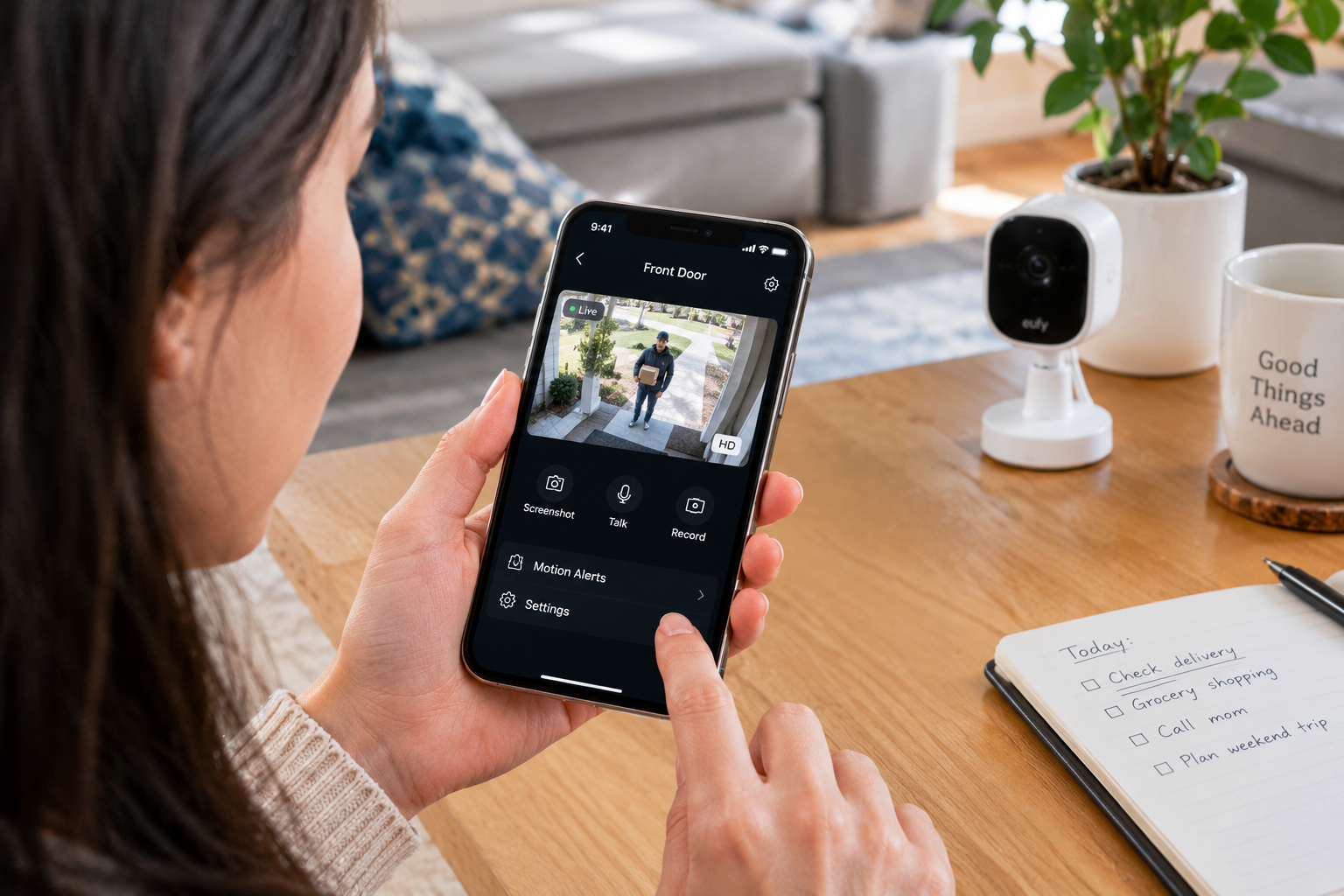
Best Home Security Cameras 2026: 5 Top Picks
Best Home Security Cameras 2026: What Should You Buy?
The finest home surveillance cameras enable you to oversee your premises, verify who is at the doorstep, keep an eye on pets, and receive notifications when an unforeseen event occurs. Nevertheless, selecting the appropriate system entails more than merely assessing camera clarity. Expenses for storage, nighttime visibility, motion sensing, privacy features, installation efforts, and subscription necessities can remarkably impact your overall experience.
Luckily, there is an abundance of home surveillance cameras accessible through Amazon US, ranging from budget-friendly indoor units to sophisticated outdoor systems equipped with solar power and smart motion detection.
In this guide, we’ve curated five choices catering to diverse requirements: the Google Nest Cam Indoor for intelligent indoor observation, Blink Outdoor 4 for cordless outdoor monitoring, eufy SoloCam S340 for versatile solar-powered surveillance, Wyze Cam v4 for economically priced high-definition indoor observation, and TP-Link Tapo C210 for cost-effective pan-and-tilt surveillance.
Quick Recommendations: The Best Home Security Cameras at a Glance
- Best indoor smart camera: Google Nest Cam Indoor (wired, 3rd Gen)
- Best wireless outdoor camera: Blink Outdoor 4
- Best solar-powered outdoor option: eufy SoloCam S340
- Best affordable image quality: Wyze Cam v4
- Best budget pan-and-tilt camera: TP-Link Tapo C210
If you want a simple camera for a living room or hallway, start with the Google Nest Cam or Tapo C210. On the other hand, if you need to monitor a garden, driveway, or side entrance without running power cables, Blink Outdoor 4 and eufy SoloCam S340 are more suitable options.
Best Home Security Cameras: Top 5 Reviews
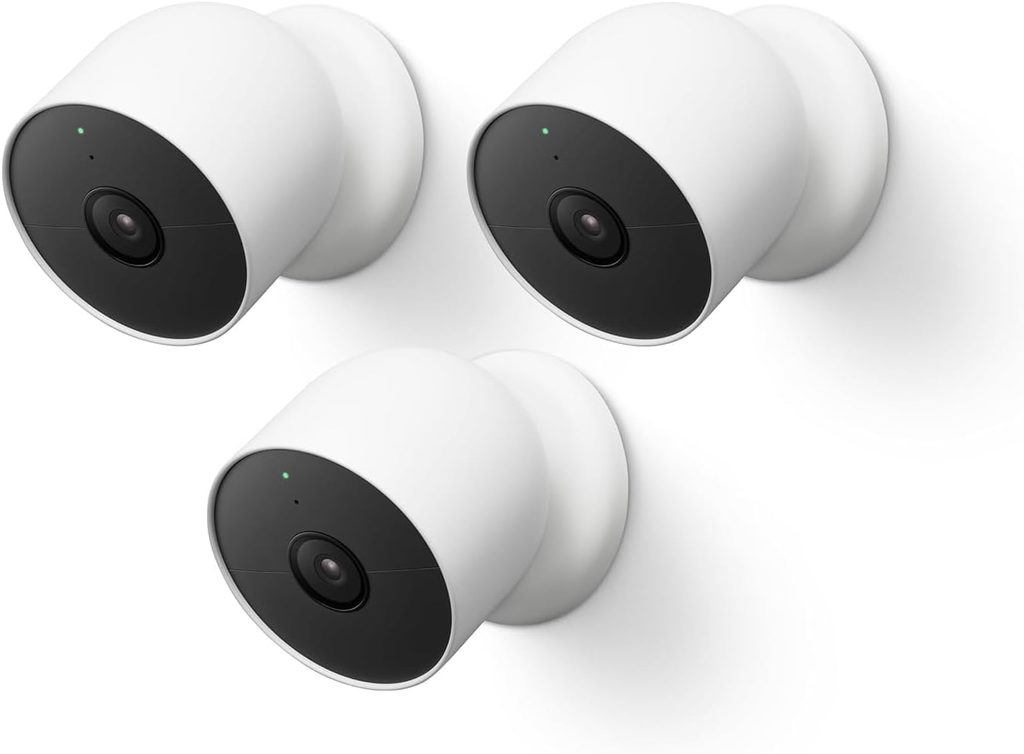
1. Google Nest Cam Indoor (Wired, 3rd Gen) — Best for Smart Indoor Monitoring
Editorial rating: 4.7/5

The Google Nest Cam Indoor (wired, 3rd Gen) stands out as an excellent option for homeowners seeking a contemporary indoor camera equipped with intelligent alerts and user-friendly app monitoring. It’s tailored for regular use in spaces like living rooms, corridors, nurseries, and home offices.
One of its key advantages is the smart-home integration. Rather than merely notifying you when there are changes in pixels, compatible Nest functionalities can help identify significant activity, based on the software and subscription options available. This enhances the utility of notifications when you’re away or trying to circumvent a phone filled with trivial alerts.
Tom’s Guide highlighted this model in its top indoor security cameras for the 2026 shopping guide. Such recognition makes it a valuable choice for comparison, especially if you’re already invested in Google Home products. However, buyers should check the specific features accessible in their area and whether enhanced event tracking or AI capabilities necessitate a premium plan.
The wired design is another aspect to consider. You won’t have to deal with recharging a battery, but a suitable outlet and a logical cable path will be necessary. Thus, this camera is best suited for permanent indoor locations rather than distant sheds, gates, or outdoor spots lacking power.
When looking at customer feedback, focus particularly on reviews concerning video clarity, accuracy of notifications, app consistency, and details of the subscription plan. These everyday elements can be more significant than impressive numbers on a product specification sheet.
Key features
- Wired indoor security camera
- 2K video capability
- Smart activity notifications
- Google Home integration
- App-based live viewing and event access
Pros
- Suitable for routine indoor monitoring
- Wired power avoids battery recharging
- Smart-home integration can simplify daily use
- Useful for checking rooms while away
Cons
- Requires a nearby power outlet
- Advanced features may depend on a subscription
- Not the best choice for outdoor locations
- Works best for users comfortable with the Google Home ecosystem
Verdict: Choose the Nest Cam Indoor if you want convenient indoor monitoring and smart notifications. It’s particularly appealing for households already using Google Home, but compare ongoing service costs before buying.
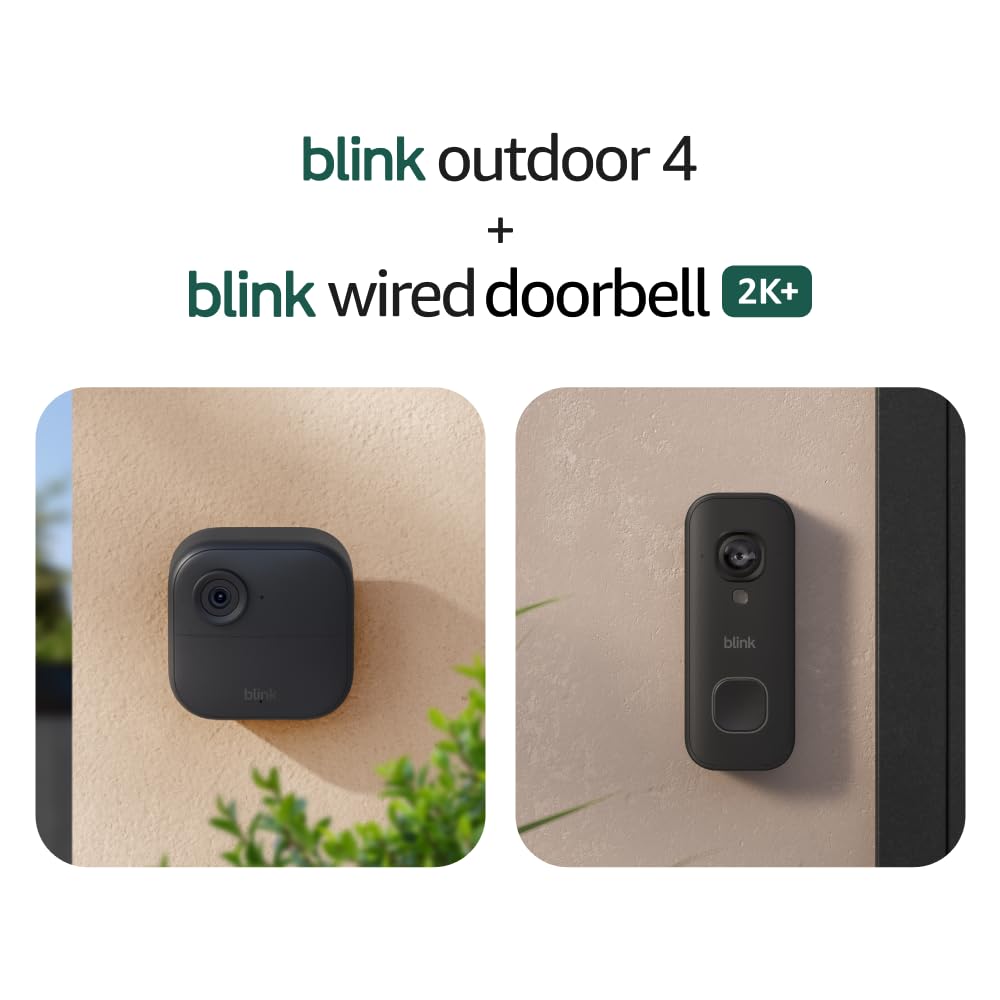
2. Blink Outdoor 4 — Best Wireless Outdoor Security Camera
Editorial rating: 4.6/5
The Blink Outdoor 4 presents a sensible choice for individuals seeking outdoor home surveillance cameras without intricate wiring. Its weatherproof construction, wireless setup, motion detection capabilities, two-way communication, and infrared night vision render it ideal for overseeing entry points, garages, porches, and various other locations on a property.
One of its prime selling features is its longevity. Blink claims up to two years of battery life under specified usage conditions with the provided AA lithium batteries. Actual performance varies based on movement frequency, temperature, settings, and the frequency of recording or streaming. A bustling driveway may consume more energy than a tranquil side entrance.
The camera captures 1080p HD video. Although this resolution may not match some of the newer 2K and 4K options, it can be adequate for standard surveillance when positioned correctly. A clear sight of a doorway and a well-placed camera might prove more beneficial than a higher-resolution device aimed at an incorrect area.
Retailer feedback offers valuable insights into its attractiveness. Best Buy’s listing emphasizes battery life, motion detection, and overall effectiveness as customer-favored attributes. These observations do not guarantee the same experience for each buyer, so it’s advisable to review recent Amazon comments for insights on connectivity, false alerts, and nighttime footage.
Storage plays a crucial role in the decision-making process. Depending on your configuration and plan, recorded video functionalities may necessitate a Blink subscription or compatible local storage accessories. Verify what’s included in the specific package rather than presuming that every variant supports the same storage options.
Key features
- 1080p HD video
- Wireless installation
- Infrared night vision
- Two-way audio
- Motion notifications
- Advertised battery life of up to two years under specified conditions
Pros
- No permanent power cable needed
- Convenient for outdoor mounting
- Long advertised battery life
- Useful two-way audio and motion alerts
- Multi-camera bundles can cover several areas
Cons
- 1080p resolution is lower than some competing models
- Battery life varies with use
- Recording and storage features may involve extra costs
- Wi-Fi coverage is essential for normal connected operation
Verdict: The Blink Outdoor 4 is a solid choice if you value simple wireless installation and low maintenance. It’s especially useful for people who want outdoor home security cameras without running power cables to every mounting point.
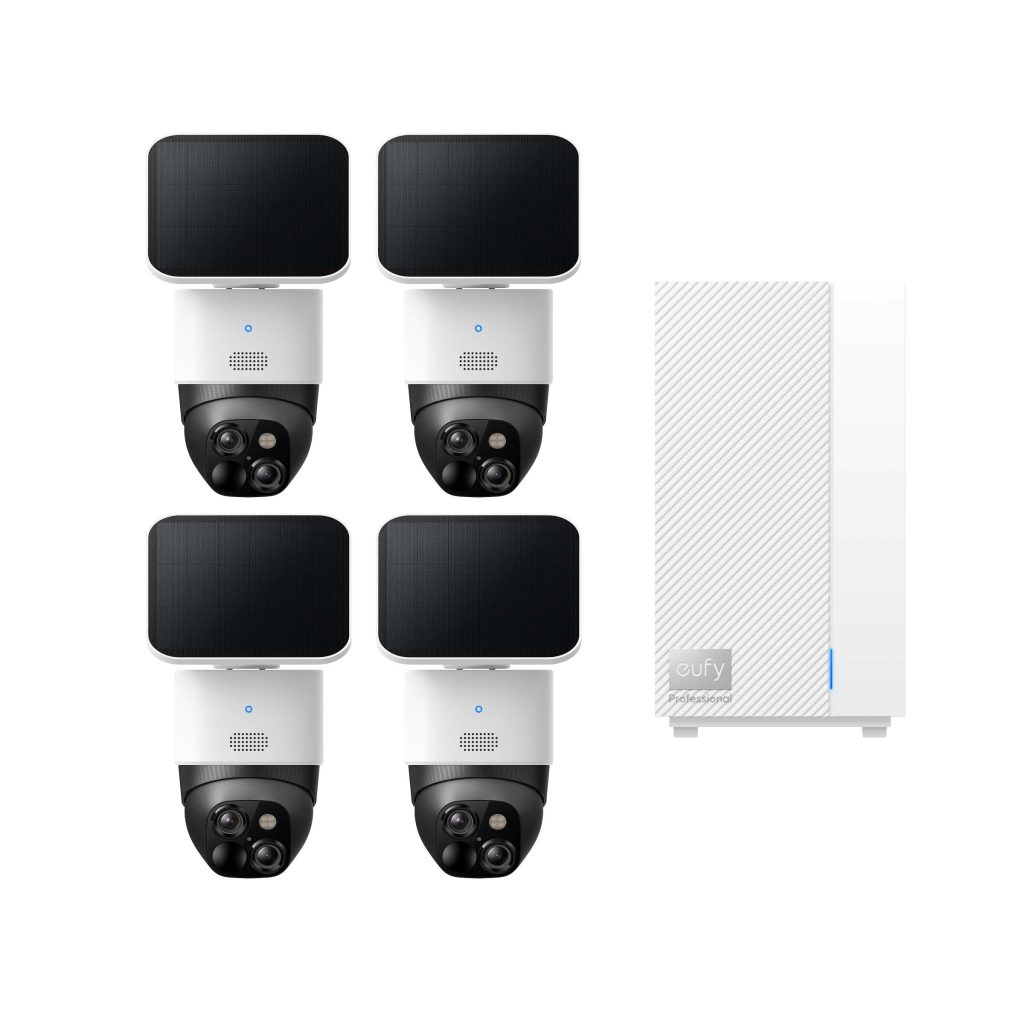
3. eufy SoloCam S340 — Best Solar-Powered Outdoor Security Camera
Editorial rating: 4.7/5
If you’re looking to oversee a vast outdoor space, the eufy SoloCam S340 is well worth your attention. Its unique dual-camera format, automated pan-and-tilt functionality, capability for solar charging, and a local-storage system without subscriptions set it apart from many basic wireless cameras.
The camera integrates a broad-angle lens with a telephoto option, enabling you to survey an area while also zooming in on specific actions. Its automated movement allows it to encompass a larger surrounding area compared to stationary cameras, although factors like placement, obstacles, and the camera’s tracking functions can still influence its visibility.
Solar charging presents a significant benefit. Instead of frequently detaching the camera for a recharge, you can utilize the solar panel to replenish the battery when exposed to adequate sunlight. Nevertheless, variables such as overcast skies, shade, seasonal variations, and frequency of recording can impact charging efficiency. Solar power should be seen as a means to lessen maintenance rather than a guarantee of complete independence from recharging.
Additionally, the allure of local storage without a necessary monthly subscription for basic recording features is appealing for those who want to steer clear of recurring charges. However, it’s important to verify storage limitations, supported functionalities, app prerequisites, and whether any optional cloud services are applicable to your preferences.
Product listings on Best Buy reveal favorable customer ratings for the S340 series, highlighting aspects like battery longevity, user-friendliness, and general performance. However, ratings for bundles may vary, so ensure that the feedback pertains specifically to the single-camera model or kit you are contemplating.
Key features
- Dual-camera system
- Motorized pan-and-tilt coverage
- Solar-assisted charging
- Local recording options
- Motion detection and app alerts
- Outdoor-focused design
Pros
- Solar charging can reduce maintenance
- Flexible viewing of larger outdoor areas
- Local storage can help avoid mandatory monthly recording fees
- Dual-camera arrangement supports wide and closer views
- Useful for yards, driveways, and garden areas
Cons
- Solar performance depends on sunlight and placement
- Higher initial cost than basic fixed cameras
- Pan-and-tilt coverage doesn’t mean every angle is visible simultaneously
- Some advanced features depend on model and software support
Verdict: Choose the SoloCam S340 if you want outdoor coverage, flexible viewing, and the potential to reduce subscription costs. It’s especially attractive for properties where sunlight is available and wiring would be inconvenient.
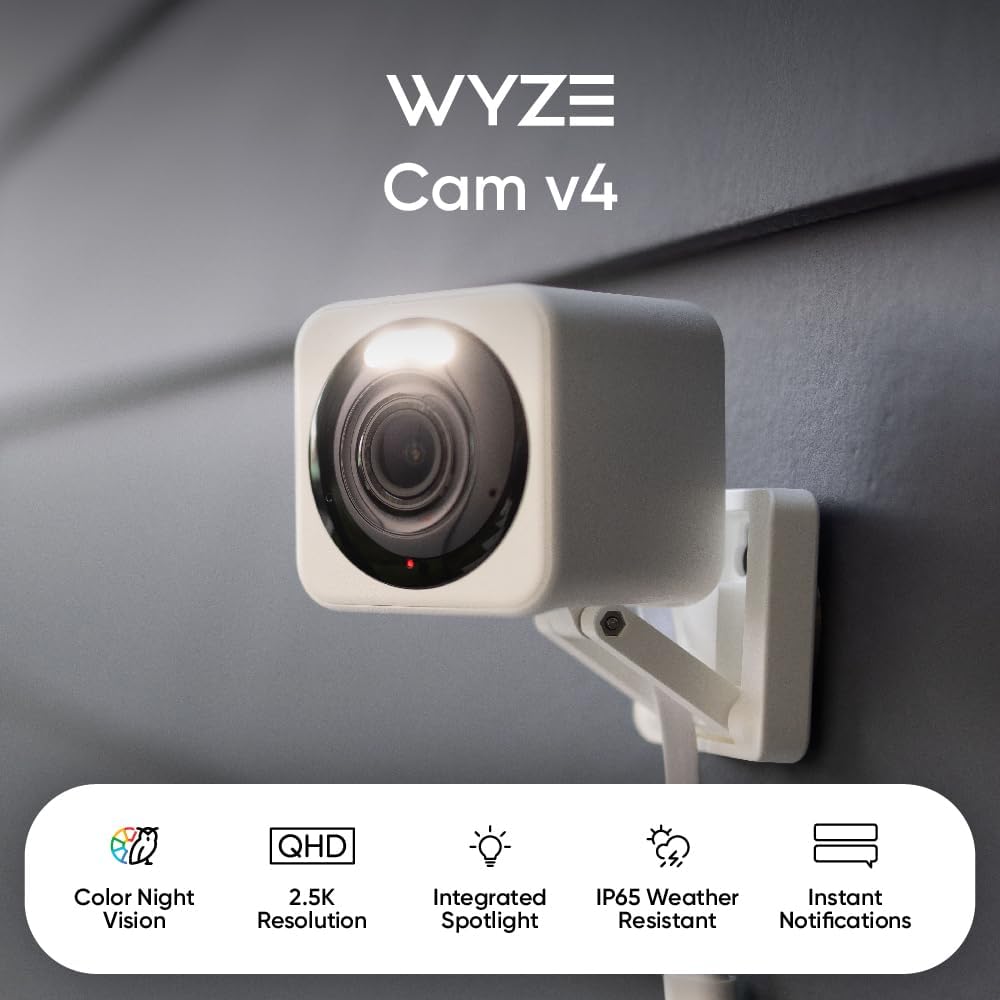
4. Wyze Cam v4 — Best Affordable Indoor Security Camera
Editorial rating: 4.5/5
The Wyze Cam v4 stands out as an attractive pick for consumers looking for effective indoor surveillance without breaking the bank. It’s ideal for residences, apartments, home offices, and other environments where a compact camera can add an extra layer of awareness.
This camera’s 2.5K-class video quality is a remarkable trait in the budget-friendly segment, and its color night vision enhances visual clarity in appropriate low-light scenarios. Additionally, it offers motion alerts and two-way audio, making it handy for monitoring events or communicating via the device.
For instance, you could set one up in the living room to monitor a pet throughout the day, or to observe an indoor entryway in your home. However, it’s essential to consider the placement of indoor cameras to ensure the privacy of family members and guests.
Tom’s Guide has recognized the Wyze Cam v4 as a cost-effective choice in its 2026 review of home security cameras. This is promising for consumers aiming for a good balance between picture quality and affordability; nonetheless, individual outcomes will vary based on lighting, Wi-Fi, and specific features activated.
Like many smart cameras, storage options should be carefully evaluated. Verify if local microSD recording is supported by your specific model and whether cloud storage or advanced detection features require a subscription. It’s also wise to examine the manufacturer’s current privacy settings, account security measures, and software update policies prior to integrating any connected camera into your home.
Key features
- 2.5K-class video
- Color night vision
- Motion detection
- Two-way audio
- App-based live viewing
- Local-storage support, subject to model compatibility
Pros
- Strong value for an indoor camera
- Detailed video for its price category
- Useful for pets, rooms, and home offices
- Compact design
- Potential local-storage options
Cons
- Requires power
- Advanced features may involve a subscription
- Wi-Fi and app reliability affect everyday use
- Not designed to replace a dedicated outdoor camera without checking its environmental rating
Verdict: The Wyze Cam v4 is a strong option if you want affordable indoor home security cameras with detailed video. It’s a good fit for renters and homeowners who need straightforward monitoring without an expensive multi-camera system.
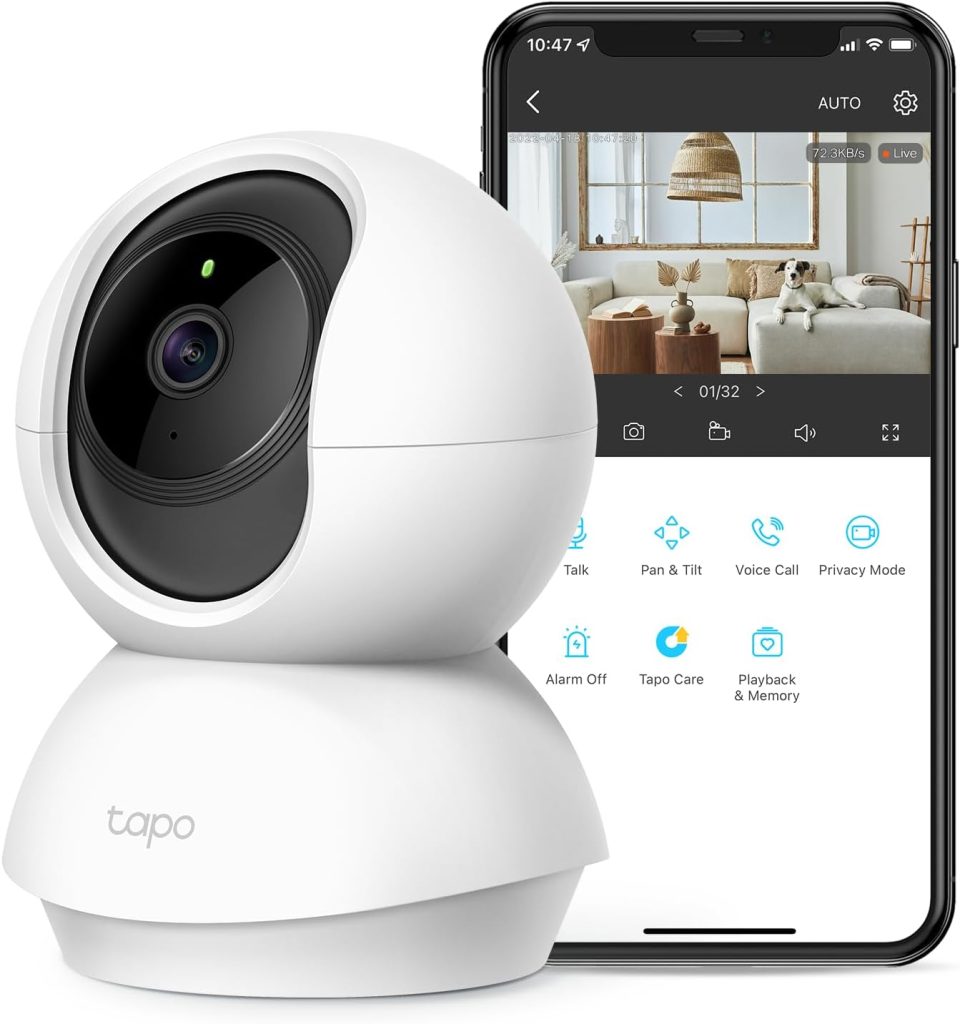
5. TP-Link Tapo C210 — Best Budget Pan-and-Tilt Security Camera
Editorial rating: 4.4/5
The TP-Link Tapo C210 is an affordable indoor surveillance camera centered around one clever concept: allowing the camera to move so you can observe more of the space. Its pan-and-tilt feature enables remote adjustments via the app, making it ideal for common areas, pet supervision, and rooms where a stationary camera would create significant blind spots.
This camera delivers 2K-quality video, motion detection, night vision, and two-way audio. It serves as a convenient method to check if a pet is resting, observe activity in a living room, or keep an eye on a home office while you’re away. Its ability to rotate could lessen the need for multiple stationary cameras in smaller areas.
An appealing aspect is its low cost. Tapo’s indoor cameras are typically aimed at consumers seeking fundamental smart-monitoring functions without shelling out for high-end brand prices. The Tapo C210 also accommodates microSD storage, depending on supported card types and sizes, allowing users to record footage locally rather than depending solely on a cloud service.
Of course, there are compromises. The camera needs to be plugged into a power source, so it won’t work in off-grid locations. It’s designed for indoor use, and the motorized movement doesn’t mean it can capture every angle simultaneously. Additionally, cloud-based features and smart detection functions might differ based on location, firmware updates, and subscription options.
When perusing customer reviews on Amazon, pay attention to repeating remarks regarding setup, app functionality, pan-and-tilt performance, night vision quality, and memory card recording. These practical insights are especially beneficial when assessing budget-friendly home security cameras.
Key features
- 2K-class video
- Remote pan-and-tilt movement
- Night vision
- Motion detection and notifications
- Two-way audio
- Local microSD recording support
Pros
- Affordable entry price
- Covers more of a room than many fixed cameras
- Useful for pets and general indoor monitoring
- Local storage can reduce reliance on cloud recording
- Easy to compare with other Tapo smart-home devices
Cons
- Requires a power outlet
- Indoor use only
- Movement doesn’t capture all directions simultaneously
- Some cloud and smart features may have additional requirements
Verdict: The Tapo C210 is an excellent budget-minded option for people who want to monitor a room without spending much. If you need an affordable camera for pets, a hallway, or a shared living space, it belongs on your shortlist.
Home Security Cameras Comparison Table
| Camera | Best for | Editorial score | Main strength | Main drawback |
|---|---|---|---|---|
| Google Nest Cam Indoor (3rd Gen) | Smart indoor monitoring | 4.7/5 | Smart-home integration | Subscription-dependent features |
| Blink Outdoor 4 | Wireless outdoor coverage | 4.6/5 | Battery convenience | 1080p resolution |
| eufy SoloCam S340 | Solar outdoor monitoring | 4.7/5 | Dual cameras and solar charging | Higher upfront cost |
| Wyze Cam v4 | Affordable indoor video | 4.5/5 | Detailed video for the price | Requires power |
| TP-Link Tapo C210 | Budget pan-and-tilt coverage | 4.4/5 | Flexible indoor viewing | Indoor-only design |
Scores are editorial assessments, not verified Amazon star ratings. Features and storage options may vary by region, product revision, or bundle.
How to Choose the Right Home Security Cameras
1. Determine if you require indoor or outdoor surveillance
First, consider the setting. Indoor cameras are ideal for monitoring rooms, pets, and internal entrances. Outdoor cameras should be built to endure the environmental conditions typical of the installation site. Do not presume that an indoor camera is weatherproof simply because it can connect to a wireless network.
2. Evaluate video clarity and low-light performance
Enhanced resolution can assist in uncovering more details, but the quality of lighting and lens also plays a crucial role. Infrared night vision is beneficial in complete darkness, whereas color night vision may preserve more context when some illumination is present. Prior to making a purchase, seek real sample footage instead of relying solely on the advertised resolution.
3. Comprehend cloud services and local data storage
Some cameras provide cloud recording features, while others accept local microSD cards or a home hub. An appealing purchase price could become less enticing if the necessary features entail monthly fees. On the other hand, local storage can decrease ongoing expenses but might need extra hardware or manual oversight.
4. Select the appropriate power supply
Wired cameras eliminate the need for battery recharging but require a convenient power outlet or installation. Battery-operated cameras can be easily positioned in hard-to-reach areas, while solar-powered models might reduce upkeep if they receive adequate sunlight. Reflect on the installation site before choosing which option presents the best long-term worth.
5. Seek effective motion sensing capabilities
Motion notifications are only beneficial when they recognize pertinent activity. Look for features that detect humans, pets, vehicles, or other factors if they are essential to you, and verify whether these options are included or come at an extra cost. Adjust detection regions and sensitivity settings to lessen superfluous alerts.
6. Safeguard privacy and account safety
Utilize a robust, distinctive password, enable multifactor authentication whenever possible, keep firmware current, and examine who has access to camera feeds. Avoid directing cameras into your neighbors’ personal spaces. For indoor units, contemplate physical privacy shields or disconnecting the device when monitoring is not required.
7. Review recent Amazon feedback
Verify the precise model number, recent verified-purchase opinions, warranty details, seller information, and return policies. Look for recurring mentions of connectivity issues, missed motion alerts, recording glitches, and app stability. A high volume of reviews can be useful, but the most recent comments are often the most pertinent to current firmware and product updates.
Frequently Asked Questions
1. What are the best home security cameras in 2026?
For indoor monitoring, the Google Nest Cam Indoor and Wyze Cam v4 are strong choices. For outdoor use, Blink Outdoor 4 offers wireless convenience, while eufy SoloCam S340 is attractive for solar-assisted charging and local storage.
2. Which home security camera is best without a monthly subscription?
The eufy SoloCam S340 and TP-Link Tapo C210 are worth considering because they offer local-storage approaches. However, the availability of advanced detection, remote access, and cloud features depends on the specific product and service. Verify the current terms before buying.
3. Are wireless security cameras reliable?
They can be reliable when the Wi-Fi signal is strong, batteries are maintained, and the camera is installed correctly. Nevertheless, wireless devices can be affected by network congestion, interference, weak signals, or depleted batteries. Test the connection at the intended mounting location.
4. Is 2K better than 1080p for home security cameras?
Generally, 2K offers more image detail than 1080p under comparable conditions. However, the final result also depends on the sensor, lens, lighting, compression, and camera placement. A well-positioned 1080p camera can still be more useful than a poorly positioned higher-resolution model.
5. Can I use indoor security cameras to monitor pets?
Yes. Indoor cameras such as the Wyze Cam v4 and TP-Link Tapo C210 can help you check on pets while you’re away. Pan-and-tilt movement is particularly useful when animals move around a room. Remember that a camera helps you observe pets; it doesn’t replace proper care and supervision.
6. Do home security cameras work without Wi-Fi?
Some cameras can record locally without continuous internet access, but remote live viewing and notifications generally require a network connection. Exact behavior varies by model. If your property has no Wi-Fi, look for a camera specifically designed for cellular connectivity or a compatible local recording system.
7. Where should I place outdoor security cameras?
Useful locations include entrances, driveways, garages, and other areas where you want to observe activity. Mount the camera securely, ensure the view isn’t blocked, and avoid capturing neighboring private spaces. Follow local privacy laws and any relevant property rules.
8. What should I check before ordering on Amazon US?
Confirm the model, included accessories, seller, return policy, warranty, current customer rating, and recent reviews. Also compare the full cost of any required subscription or storage accessory. A slightly more expensive camera can offer better long-term value if it includes the features you actually need.
Final Verdict: Which Home Security Cameras Should You Buy?
The ideal home surveillance cameras are those that align with your residence, financial plan, and privacy inclinations. The Google Nest Cam Indoor serves as a robust choice for intelligent indoor observation, while Blink Outdoor 4 proves handy for wireless external coverage. The eufy SoloCam S340 excels with its solar-powered charging and adaptable viewing angles, whereas Wyze Cam v4 and TP-Link Tapo C210 provide economical options for indoor surveillance.
Prior to making a purchase, assess the current Amazon listings, recent user reviews, recording alternatives, and ongoing expenses. A camera with a compelling initial price tag might not be the most budget-friendly option if premium cloud storage or additional accessories are required. Conversely, a more straightforward local-storage camera could fulfill your requirements without incurring recurring charges.
Our ultimate suggestion: Opt for Blink Outdoor 4 for straightforward wireless outdoor setup, eufy SoloCam S340 for solar-enhanced outdoor surveillance, or TP-Link Tapo C210 if you’re seeking a budget-friendly indoor camera that can scan its surroundings. For smart indoor functionalities and higher-resolution video, weigh the options between the Google Nest Cam Indoor and Wyze Cam v4.
A thoughtfully selected camera can enhance visibility around your residence, but it functions best as a component of a comprehensive security strategy that includes robust account safety, prudent camera positioning, adequate lighting, and routine upkeep.