

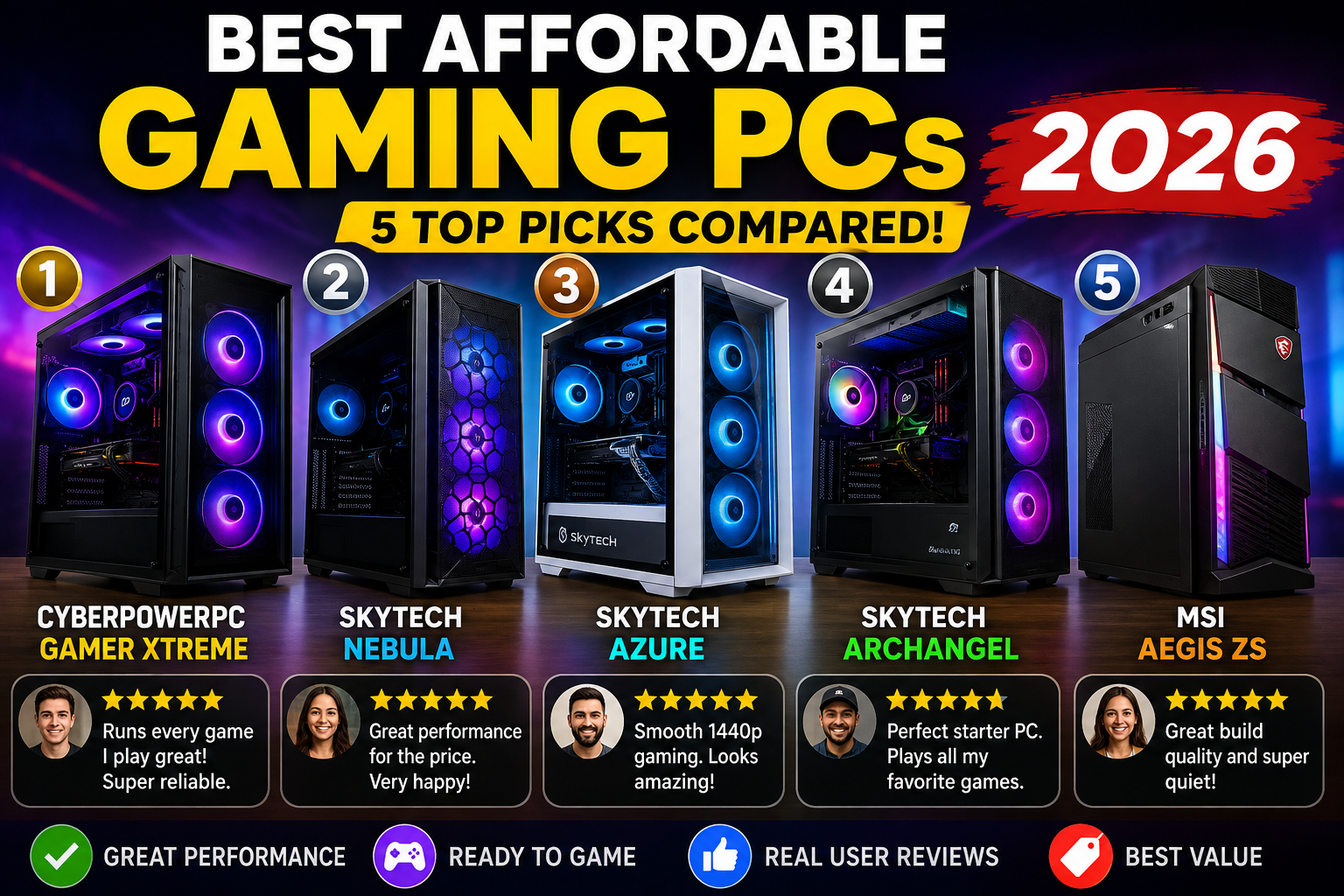
Best Gaming PC 2026: 5 Gaming Desktop PCs
Finding an affordable gaming PC in 2026 isn’t quite as straightforward as it used to be.
At first glance, Amazon appears to have hundreds of gaming desktops. However, once you dig into the specifications, the picture changes. Some systems advertise enormous RAM numbers but use an aging graphics card. Others have an impressive-looking RGB case but a weak power supply. Still others are inexpensive because they’re built around older-generation components that may struggle with newer AAA games.
So, what’s the smarter approach?
Look at the entire configuration rather than one impressive specification.
For a gaming desktop, the graphics card usually deserves the most attention. After that, look at the processor, RAM, SSD, cooling, power supply and upgrade potential.
The good news is that 2026 has brought some genuinely interesting options. PC Gamer’s August 2026 testing notes that the sub-$1,000 market has become tougher because of higher memory and storage costs, but RTX 5060 systems are still appearing in the budget category.
Meanwhile, Tom’s Hardware currently identifies the CyberPowerPC Gamer Xtreme as its best budget gaming PC, specifically praising its build quality, relatively affordable starting price and clean Windows installation.
For this guide, I’ve focused on Amazon U.S. listings and popular prebuilt families that make sense for buyers who don’t want to build a PC from individual components.
Our five picks are:
- CyberPowerPC Gamer Xtreme — Best Overall Affordable Gaming PC
- Skytech Nebula — Best AMD/Ryzen Value
- Skytech Azure — Best Balanced Upgrade
- Skytech Archangel — Best 1080p Value
- MSI Aegis ZS — Best Mainstream Alternative
Quick Recommendation
| Rank | Gaming Desktop | Editorial Score | Best For | Recommended Resolution |
|---|---|---|---|---|
| 🥇 | CyberPowerPC Gamer Xtreme | 9.5/10 | Best overall value | 1080p / some 1440p |
| 🥈 | Skytech Nebula | 9.3/10 | Ryzen + RTX value | 1080p / 1440p |
| 🥉 | Skytech Azure | 9.2/10 | Balanced performance | 1440p |
| 4 | Skytech Archangel | 8.9/10 | Entry-level gaming | 1080p |
| 5 | MSI Aegis ZS | 8.7/10 | Mainstream alternative | 1080p / 1440p |
Overall pick: CyberPowerPC Gamer Xtreme.
My value alternative: Skytech Nebula.
The upgrade-friendly choice: Skytech Azure.
My lower-cost 1080p option: Skytech Archangel.
Affordable Gaming PC Comparison Table
| Model | CPU Example | GPU Example | RAM | Storage | Main Strength | Main Weakness |
|---|---|---|---|---|---|---|
| CyberPowerPC Gamer Xtreme | Core Ultra 5 225F / i5 variants | RTX 5060 | 32GB on tested config | 2TB on tested config | Strong overall value | Air cooler can be loud |
| Skytech Nebula | Ryzen 7 7700 | RTX 5060 8GB | 16GB DDR5 | 1TB NVMe | Excellent CPU/GPU balance | 16GB is less generous |
| Skytech Azure | Ryzen 7 7700 / 7700X | RTX 5060 / 5070 variants | 16–32GB | 1TB NVMe | Wide configuration choice | Price varies considerably |
| Skytech Archangel | Ryzen 7 7700 | RTX 4060 8GB | 16GB DDR5 | 1TB SSD | Good entry-level option | Older GPU generation |
| MSI Aegis ZS | Ryzen 7 7700 | RTX 4060 | 16GB | 1TB SSD | Established gaming brand | Less compelling than newer RTX 5060 systems |
Amazon’s current search results show Skytech Nebula, Archangel, Azure and MSI Aegis configurations available in this general class, although individual offers and prices can change.
1. CyberPowerPC Gamer Xtreme — Best Affordable Gaming PC Overall
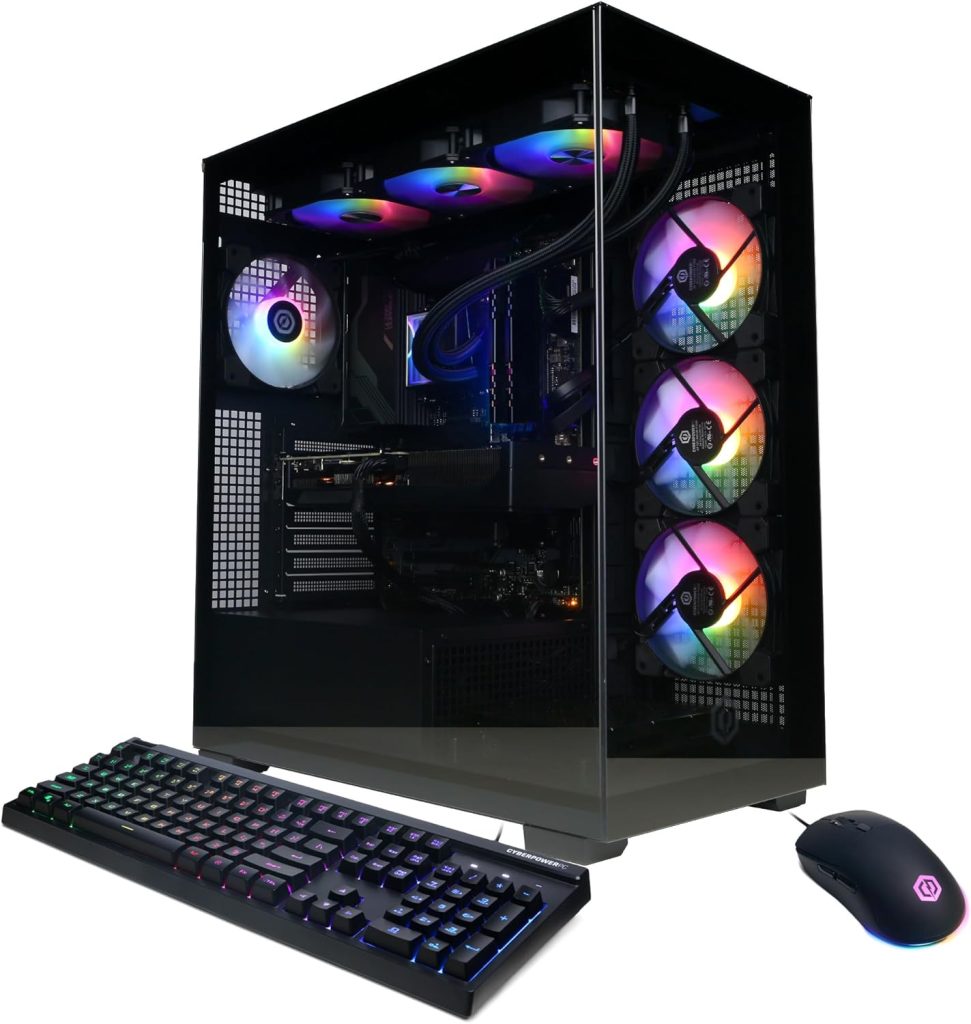
Rating Score: ⭐ 9.5/10

If you want one affordable gaming PC that makes the least number of compromises, the CyberPowerPC Gamer Xtreme is the easiest recommendation in this group.
Tom’s Hardware currently lists the Gamer Xtreme as its Best Budget Gaming PC, highlighting a configuration with an Intel Core Ultra 5 225F, RTX 5060, 32GB DDR5-6400 and a 2TB PCIe 4.0 NVMe SSD. Its reviewers also praised the strong build quality, neat assembly and lack of bloatware.
That’s a very attractive combination for a prebuilt.
More importantly, the RTX 5060 puts this system in the current-generation budget-performance conversation rather than leaving you buying an aging GPU simply because it happens to be cheap.
Why Is the CyberPowerPC Gamer Xtreme My Overall Pick?
Because it gets the fundamentals right.
The graphics card is appropriate for modern 1080p gaming, while the newer Core Ultra platform gives the system a better foundation for multitasking and future software.
Furthermore, the configuration tested by Tom’s Hardware comes with 32GB RAM and 2TB storage, which is considerably more comfortable than a typical entry-level 8GB/512GB machine.
That matters because modern games can be enormous.
A 1TB SSD can disappear surprisingly quickly once you install several AAA titles.
Call of Duty, Cyberpunk, Starfield, Baldur’s Gate 3 and other large games can quickly turn a seemingly spacious drive into a storage-management headache.
What Do Users and Reviewers Like?
The recurring positives around CyberPowerPC’s affordable systems are straightforward:
- Plug-and-play setup
- Attractive RGB cases
- Strong gaming performance
- Good component combinations
- Reasonable upgrade potential
- Clean Windows installation
Independent 2026 testing also found CyberPowerPC’s build quality and cable management particularly strong compared with several competing budget prebuilts.
That’s important because a prebuilt PC should actually save you work.
After all, the whole point of buying a prebuilt is to unpack it, connect the monitor and peripherals, update Windows and start gaming.
What Is the Biggest Weakness?
Cooling noise.
Tom’s Hardware specifically points out that the air cooler can be loud.
That doesn’t necessarily mean temperatures are unsafe.
Instead, it means that buyers who are accustomed to nearly silent desktops may find the system more noticeable during heavy gaming.
Consequently, if silence is your highest priority, a system with a larger tower cooler or liquid cooling could be preferable.
Key Features
- RTX 5060 graphics
- Intel Core Ultra 5 / Intel Core i5 configurations
- DDR5 memory
- NVMe SSD
- Windows 11
- Wi-Fi
- RGB case
- Multiple USB ports
- Prebuilt and ready to use
Pros
+ Excellent price-to-performance balance
+ Current-generation RTX 5060 options
+ Strong 1080p gaming
+ Capable 1440p gaming with appropriate settings
+ Good build quality
+ Clean Windows installation
+ Plenty of configurations
Cons
− Cooling fan can be loud
− Exact specifications vary by listing
− SSD performance isn’t always class-leading
− Dust protection could be better according to Tom’s Hardware
Best For
Gamers who want the best all-around affordable gaming PC without assembling one themselves.
2. Skytech Nebula Gaming PC — Best Ryzen Value
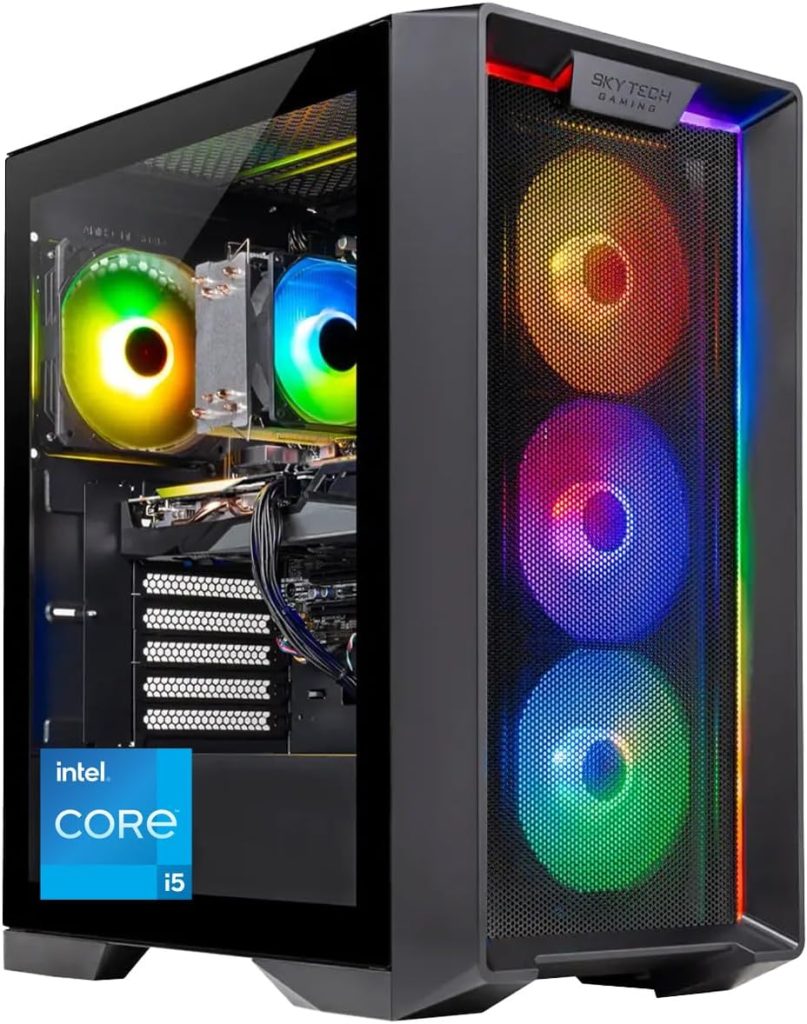
Rating Score: ⭐ 9.3/10
The Skytech Nebula is one of the more interesting choices if you’re looking for an affordable gaming PC with an AMD Ryzen processor.
Amazon’s current results show a Skytech Nebula configuration using a Ryzen 7 7700, RTX 5060 8GB, 16GB DDR5-6000, 1TB NVMe SSD and 650W Gold power supply.
That’s a sensible combination.
The Ryzen 7 7700 gives you eight cores and sixteen threads, while the RTX 5060 provides the dedicated graphics horsepower needed for serious 1080p gaming.
Why Does the Ryzen 7 7700 Matter?
Because gaming isn’t the only thing people do with a gaming desktop.
You might stream.
Otherwise, You might record gameplay.
You might have Discord, Chrome and Spotify running simultaneously.
Perhaps you edit videos.
Maybe you use the machine for school or work during the day.
An eight-core Ryzen 7 therefore gives this affordable gaming PC more flexibility than some six-core budget systems.
That’s not to say a six-core CPU is bad.
Far from it.
However, when the price difference is reasonable, extra CPU headroom is attractive.
The RTX 5060 Advantage
The biggest reason to consider the Nebula is its GPU.
The RTX 5060 is a current-generation graphics solution rather than an older RTX 4060.
That doesn’t automatically make every game faster in every situation, but it gives the system access to newer Nvidia features and a more contemporary performance platform.
PC Gamer’s 2026 budget-PC coverage specifically notes that RTX 5060 systems are increasingly appearing in the sub-$1,000 to around-$1,000 segment, changing the value proposition of budget prebuilts.
Where Does the Nebula Compromise?
The configuration Amazon currently surfaces uses 16GB RAM and a 1TB SSD.
That’s perfectly usable.
However, if you play extremely demanding games while multitasking heavily, 32GB would be a more comfortable long-term target.
Fortunately, RAM is one of the easier components to upgrade.
Therefore, I wouldn’t reject the Nebula simply because it has 16GB.
Instead, I’d check whether the motherboard has accessible memory slots and compare the price difference between the 16GB and 32GB versions.
Key Features
- AMD Ryzen 7 7700
- RTX 5060 8GB
- 16GB DDR5
- 1TB NVMe SSD
- 650W Gold PSU
- Wi-Fi
- Windows 11
- RGB lighting
Pros
+ Excellent Ryzen 7 processor
+ Current RTX 5060 graphics
+ DDR5 memory
+ Gold-rated PSU configuration
+ Good 1080p performance
+ Strong 1440p potential
+ Attractive RGB design
Cons
− 16GB RAM on some versions
− 1TB storage can fill quickly
− Amazon configurations change
− Price can overlap with stronger CyberPowerPC configurations
Best For
Gamers who want an affordable gaming PC built around Ryzen 7 and RTX 5060 rather than an Intel-based system.
3. Skytech Azure Gaming PC— Best Balanced Upgrade
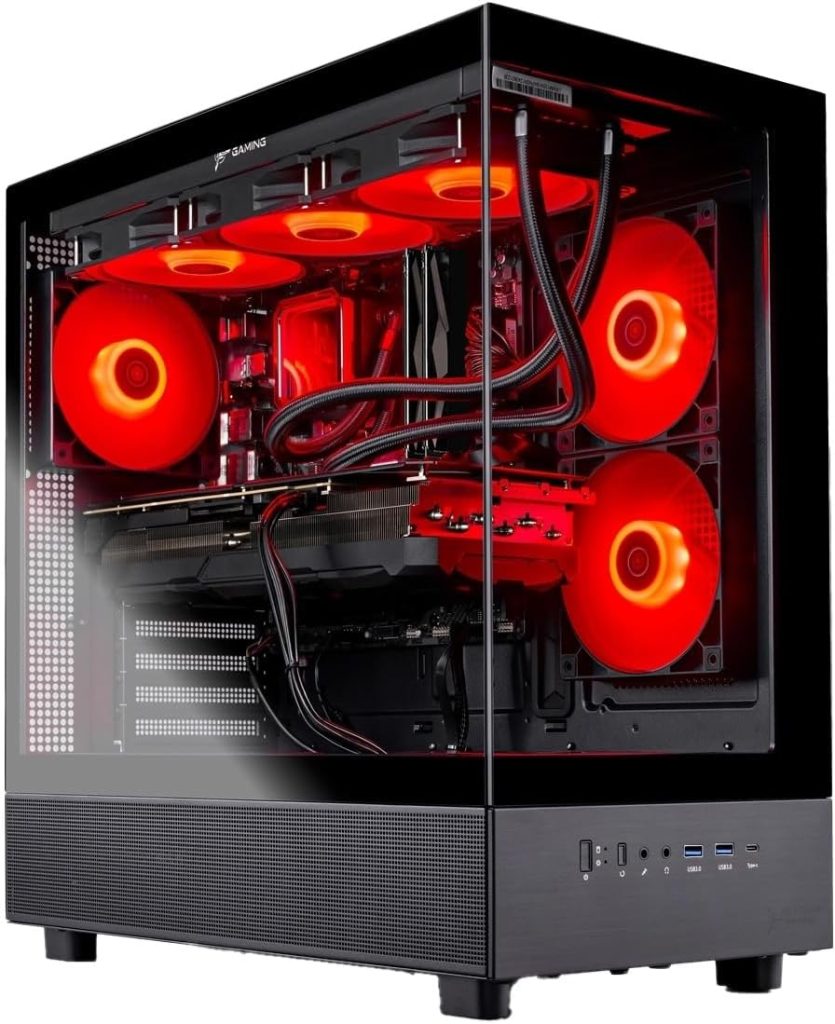
Rating Score: ⭐ 9.2/10
The Skytech Azure is interesting because it’s less of a single configuration and more of a gaming-PC family with several performance levels.
That’s both an advantage and a disadvantage.
The advantage is choice.
Amazon currently shows Azure configurations ranging from a Ryzen 7 7700 with RTX 5060 to considerably more powerful Ryzen 7 7700X/RTX 5070 systems. One current listing includes Ryzen 7 7700, RTX 5060, 32GB DDR5 and a 1TB NVMe SSD.
Another Azure configuration pairs a Ryzen 7 7700X with RTX 5070, 32GB DDR5, 1TB storage and a 360mm AIO cooler.
So, the Azure can scale with your budget.
Why Choose the Azure?
Flexibility.
Suppose your budget is around the low-$1,000 range.
You can look for the RTX 5060 version.
Suppose you have more room.
The RTX 5070 configuration becomes considerably more attractive for 1440p gaming.
That’s useful because upgrading a prebuilt GPU later can be expensive and sometimes complicated.
Buying the stronger configuration upfront can therefore make financial sense.
The 32GB Advantage
Some current Azure listings offer 32GB DDR5.
That’s a sweet spot for a modern gaming PC.
For ordinary gaming, 16GB remains viable.
However, 32GB gives you more breathing room for:
- Game launchers
- Discord
- Browser tabs
- Streaming
- Recording
- Creative applications
- Modded games
- Background processes
In other words, 32GB makes the computer feel less constrained.
What About Cooling in Gaming PC?
The higher-end Azure configuration with RTX 5070 uses a 360mm ARGB AIO cooler.
That’s a major step above a basic budget tower.
However, don’t assume every Azure includes liquid cooling.
This is one of the most important lessons when shopping for an affordable gaming PC on Amazon:
Read the exact configuration.
A product family name doesn’t tell you the complete specification.
Key Features
Depending on configuration:
- Ryzen 7 processors
- RTX 5060 / 5060 Ti / 5070 options
- DDR5 memory
- NVMe storage
- Gold-rated PSU options
- Wi-Fi
- Windows 11
- RGB case
- AIO cooling on higher configurations
Pros
+ Many configuration choices
+ Excellent Ryzen CPUs
+ RTX 5060 through RTX 5070 options
+ 32GB versions available
+ Strong 1440p potential
+ Premium cooling on higher models
Cons
− Configuration confusion
− Pricing varies significantly
− Entry versions aren’t as powerful as high-end Azure models
− Some configurations offer less RAM than expected
Best For
Gamers who want an affordable gaming PC today but may want stronger 1440p performance than a basic budget tower provides.
4. Skytech Archangel Gaming PC— Best 1080p Value
Rating Score: ⭐ 8.9/10
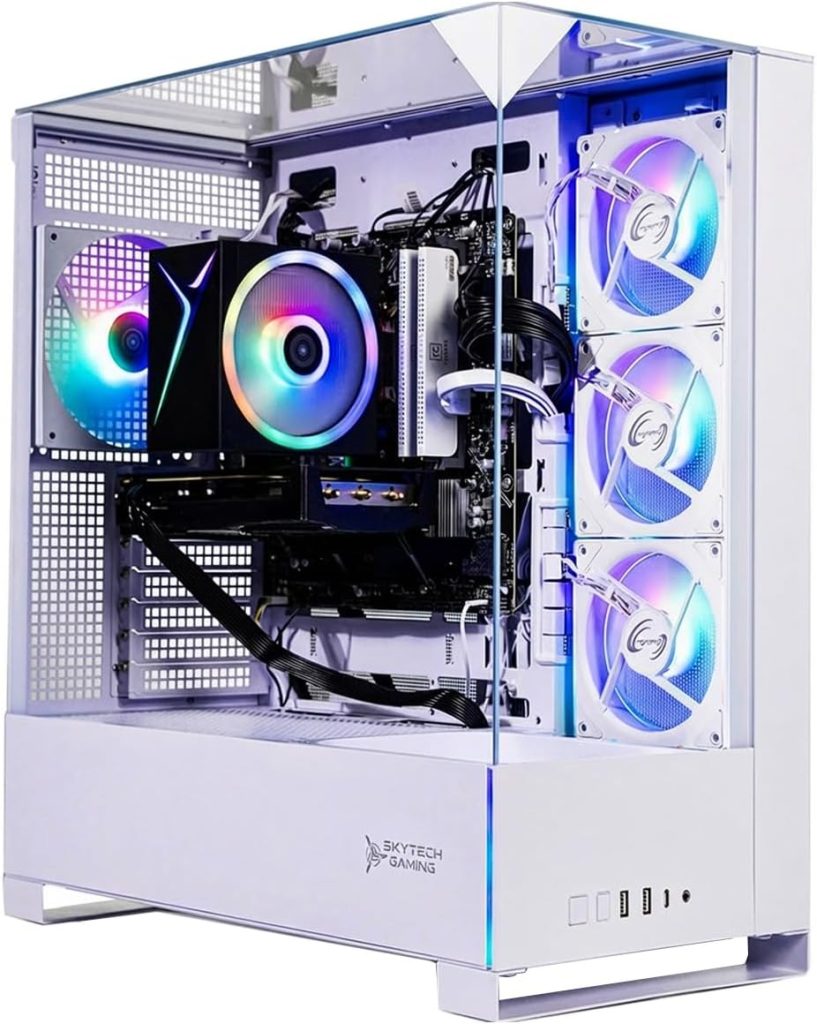
The Skytech Archangel is the pick I’d consider when you find a particularly good price on an RTX 4060 configuration.
Amazon currently shows an Archangel configuration with Ryzen 7 7700, RTX 4060 8GB, 16GB DDR5-5200, 1TB SSD and a 650W Gold PSU.
On paper, that looks excellent for a starter gaming system.
The important qualifier is the price.
Why?
Because the RTX 5060 generation changes the value equation.
If an RTX 4060 machine costs only slightly less than an RTX 5060 machine, I’d choose the newer GPU.
On the other hand, if the Archangel is heavily discounted, it can become a very sensible purchase.
This is why shopping for an affordable gaming PC isn’t just about finding the cheapest machine.
It’s about finding the best performance per dollar.
Who Should Buy It?
The Archangel is especially attractive to someone playing at 1080p.
Think:
- Fortnite
- Valorant
- Counter-Strike
- Overwatch
- Apex Legends
- Minecraft
- Roblox
- League of Legends
- Older AAA games
It can also handle more demanding modern games, although you’ll need to adjust settings depending on the title.
The Ryzen 7 7700 Helps
The CPU is stronger than you’d normally expect from a basic entry-level gaming PC.
That means the system isn’t purely focused on GPU performance.
It’s also capable of productivity work and multitasking.
Consequently, the Archangel can make a good first desktop for a student or young gamer who wants one computer for school and gaming.
The Main Problem
Again, it’s the GPU generation.
RTX 4060 isn’t suddenly a bad graphics card.
It isn’t.
But newer RTX 5060 systems make it harder to recommend at full price.
Therefore, the Archangel earns its place here primarily as a discount-dependent affordable gaming PC.
Key Features
- Ryzen 7 7700
- RTX 4060 8GB
- 16GB DDR5
- 1TB SSD
- 650W Gold PSU
- Wi-Fi
- Windows 11
- RGB case
Pros
+ Strong Ryzen 7 CPU
+ Good 1080p performance
+ 16GB DDR5
+ 1TB storage
+ Gold-rated PSU
+ Good first gaming desktop
Cons
− RTX 4060 is previous generation
− 16GB may eventually need upgrading
− Value depends heavily on sale price
− Not the strongest 1440p choice
Best For
First-time PC gamers who want an affordable gaming PC for 1080p gaming and find the Archangel significantly cheaper than an equivalent RTX 5060 system.
5. MSI Aegis ZS Gaming PC— Best Mainstream Alternative
Rating Score: ⭐ 8.7/10
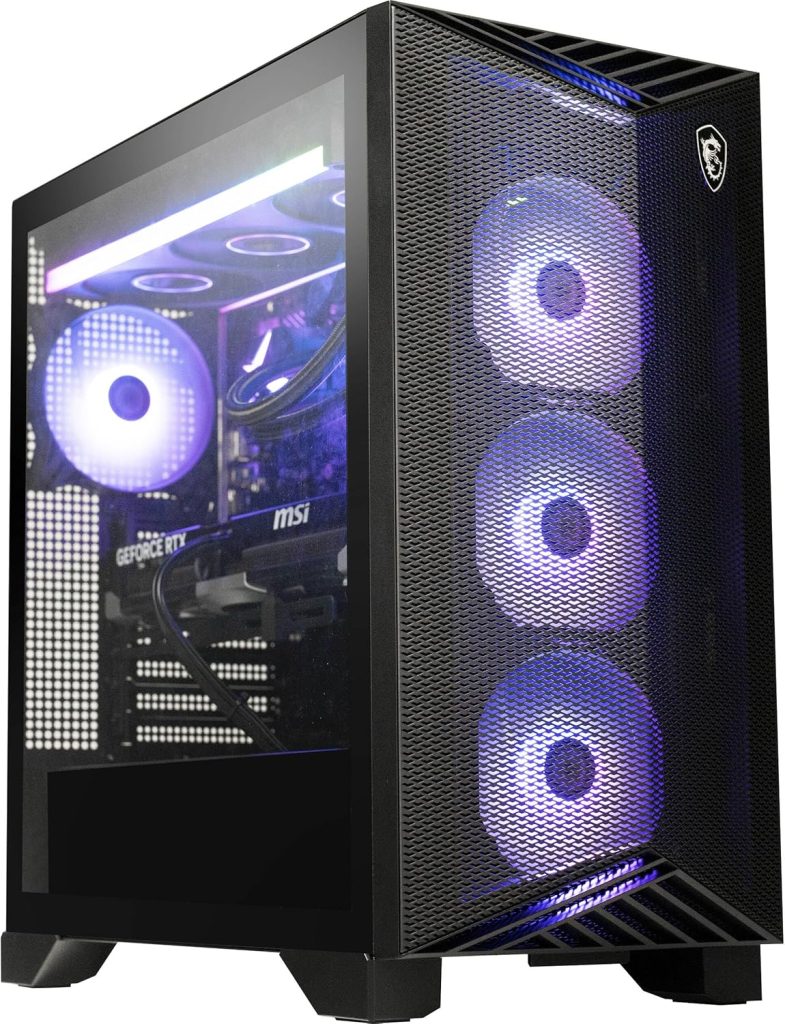
MSI’s Aegis ZS is the mainstream-brand option in this comparison.
Amazon’s current results show a configuration with a Ryzen 7 7700, GeForce RTX 4060, 16GB RAM, 1TB SSD, RGB cooling, Wi-Fi 6E, Windows 11 and a keyboard/mouse bundle.
That last part is worth mentioning.
If you’re buying your first gaming desktop, getting a keyboard and mouse in the box can reduce the amount of extra hardware you need to purchase immediately.
Why Consider MSI?
Brand familiarity.
MSI has a long history in gaming hardware, including graphics cards, motherboards, laptops, monitors and desktops.
Therefore, some buyers may feel more comfortable choosing an MSI prebuilt than a lesser-known marketplace brand.
Furthermore, the Aegis design is intended to look like a gaming machine rather than a generic office tower.
Performance
The Ryzen 7 7700 is still a capable gaming CPU.
The RTX 4060, meanwhile, remains a reasonable 1080p graphics card.
However, the same warning applies as with the Skytech Archangel.
If the MSI is priced close to an RTX 5060 machine, the newer GPU makes more sense.
If the MSI receives a substantial discount, however, the calculation changes.
DIY-Friendly Design
Amazon’s listing describes the Aegis ZS as DIY friendly.
That’s useful for someone who eventually wants to learn more about PC upgrades.
Adding storage or memory is considerably less intimidating when the case is designed with access in mind.
Key Features
- Ryzen 7 7700
- RTX 4060
- 16GB RAM
- 1TB SSD
- Wi-Fi 6E
- RGB cooling
- Windows 11
- Keyboard and mouse included
Pros
+ Established gaming brand
+ Ryzen 7 CPU
+ RTX graphics
+ Wi-Fi 6E
+ Keyboard and mouse included
+ Upgrade-friendly design
Cons
− RTX 4060 is older generation
− 16GB RAM
− Value depends on price
− Newer RTX 5060 systems can be more attractive
Best For
Gamers who prefer an established gaming-PC manufacturer and want a ready-to-use package with peripherals included.
What Do Amazon U.S. Users Say About Affordable Gaming PCs?
Amazon reviews can be incredibly useful, but there’s a catch.
A product family’s reviews don’t necessarily represent every configuration sold under that name.
A Skytech PC with a Ryzen 5 and RTX 3060 isn’t the same machine as a Skytech PC with a Ryzen 7 and RTX 5060.
The same problem occurs with CyberPowerPC, iBUYPOWER, HP and other manufacturers.
Therefore, I wouldn’t blindly trust a star rating without reading the specific configuration.
That said, actual Amazon U.S. reviews reveal several recurring user-experience themes.
For example, an Amazon listing for an MXZ RTX 4060 desktop shows a 3.9/5 rating from 19 ratings. Customers praised its value, quick setup and usefulness as a starter gaming PC, while other reviewers reported issues involving a fan and Wi-Fi adapter.
An older Skytech Blaze Amazon listing has a 4.4/5 rating from 30 ratings, with customer comments praising performance and out-of-box functionality.
These examples demonstrate something important:
User experience is often more complicated than the star rating.
Some customers report excellent performance.
Others experience hardware problems.
That’s normal with complex electronics.
Consequently, before buying any affordable gaming PC, I’d read the newest one-star, two-star and five-star reviews—not just the overall rating.
What Users Like Most About Prebuilt Gaming PCs
Across Amazon reviews and independent testing, several themes repeatedly appear.
1. Easy Setup
This is perhaps the biggest advantage.
A prebuilt gaming PC arrives assembled.
You don’t need to:
- Install a CPU
- Apply thermal paste
- Mount a graphics card
- Connect motherboard cables
- Configure BIOS settings
- Troubleshoot a failed first boot
For first-time PC gamers, that’s a big deal.
2. Ready-to-Game Convenience
Connect:
- Monitor
- Keyboard
- Mouse
- Power
- Internet
Then update Windows and graphics drivers.
You’re basically ready to go.
That convenience is one reason prebuilt PCs remain attractive even when DIY builds can sometimes offer better component selection.
PC Gamer’s current 2026 analysis notes that prebuilts can offer convenience and warranty advantages even when building yourself provides more flexibility.
3. RGB Looks
Let’s be honest.
People like RGB.
A glass side panel, glowing fans and a clean gaming desk can look fantastic.
However, don’t let RGB distract you from the GPU.
A $900 PC with six RGB fans and a weak GPU isn’t a better gaming PC than a plain-looking tower with a powerful graphics card.
4. Warranty and Support
This is another major advantage over a DIY build.
If a component fails, you have a manufacturer to contact.
That can be worth paying slightly more.
What Users Complain About Most
The negatives are equally important.
Fan Noise
Budget prebuilts sometimes cut costs on cooling.
Tom’s Hardware specifically calls out the CyberPowerPC Gamer Xtreme’s loud air cooler.
Therefore, check cooling before buying.
Limited RAM
Some inexpensive configurations still ship with 16GB.
That’s usable.
However, 32GB is increasingly attractive for a new gaming desktop.
Small SSD
A 512GB drive sounds big until you install several AAA games.
A 1TB SSD is a much better starting point.
Two terabytes is even better.
Generic Power Supplies
This is one area where you shouldn’t simply look at wattage.
A 650W PSU from a reputable manufacturer can be preferable to a questionable 750W unit.
Look for:
- Brand
- Efficiency rating
- ATX generation
- Model information
- Warranty
What Makes a Good Affordable Gaming PC in 2026?
Here’s the checklist I’d use.
| Component | Minimum I’d Consider | Preferred |
|---|---|---|
| GPU | RTX 4060-class | RTX 5060 / better |
| CPU | Ryzen 5 / Core i5 | Ryzen 7 / Core Ultra 5+ |
| RAM | 16GB | 32GB |
| Storage | 1TB SSD | 1–2TB NVMe |
| PSU | 600W reputable unit | 650W+ quality Gold |
| OS | Windows 11 | Windows 11 |
| Wi-Fi | Wi-Fi 5 | Wi-Fi 6/6E |
| Cooling | Adequate tower cooling | Larger air/AIO cooling |
Is an Affordable Gaming PC Good Enough for 1440p?
Yes—but it depends heavily on the GPU.
This is where many buyers make a mistake.
They see an expensive-looking gaming case and assume it will run everything at 1440p Ultra.
That’s not realistic.
An RTX 4060 or RTX 5060 class machine is primarily attractive for 1080p gaming, although modern upscaling technologies can make 1440p much more achievable.
PC Gamer’s current 2026 analysis puts roughly the $1,000–$1,500 range in a particularly attractive position for 1440p gaming value, while noting the ongoing effects of memory and storage price pressure.
So, if 1440p is your goal, I’d prioritize:
- GPU
- GPU VRAM
- CPU
- 32GB RAM
- Cooling
The case comes last.
1080p vs 1440p vs 4K
1080p
This is where an affordable gaming PC shines.
RTX 4060 and RTX 5060 systems are excellent candidates.
For competitive games, you can often target high refresh rates.
1440p
Now GPU power matters more.
An RTX 5060-class machine can make sense, particularly with optimized settings and upscaling.
An RTX 5070 is considerably more comfortable for demanding 1440p gaming.
4K
This is where budget systems start to struggle.
If you genuinely want 4K Ultra gaming with high frame rates, don’t buy an entry-level affordable gaming PC and expect miracles.
You’ll need a much stronger GPU.
Should You Buy a Prebuilt Gaming PC or Build Your Own?
Buy a prebuilt if:
- You don’t want to build a PC
- You need a working computer quickly
- You’re nervous about installation
- You want manufacturer support
- You prefer one warranty
- You don’t have time to research every component
Build your own if:
- You enjoy PC hardware
- You want maximum component control
- You want to choose every PSU and motherboard
- You can troubleshoot hardware
- You’re comfortable assembling the system
Neither approach is automatically better.
It’s about what your time is worth.
In 2026, with component pricing changing and prebuilts sometimes receiving aggressive discounts, buying a prebuilt can be surprisingly competitive. PC Gamer specifically notes that current market conditions can make prebuilts more attractive than they traditionally have been.
How Much Should You Spend on an Affordable Gaming PC?
I’d divide the market roughly like this:
Under $700
Expect compromises.
This range can work for esports and older games, but be careful with outdated GPUs.
$700–$1,000
This is where RTX 5060 prebuilts become particularly interesting.
PC Gamer’s current 2026 budget coverage highlights RTX 5060 systems entering this territory.
$1,000–$1,500
This is arguably the sweet spot.
You can start looking for:
- RTX 5060 Ti
- RTX 5070
- Ryzen 7
- Core Ultra processors
- 32GB DDR5
- 1TB–2TB NVMe
$1,500+
Now you’re moving beyond basic affordability.
You’re looking toward high-refresh 1440p and potentially 4K gaming.
Our Final Ranking
| Position | Model | Score | Verdict |
|---|---|---|---|
| 🏆 1 | CyberPowerPC Gamer Xtreme | 9.5/10 | Best overall |
| 🥈 2 | Skytech Nebula | 9.3/10 | Best Ryzen value |
| 🥉 3 | Skytech Azure | 9.2/10 | Best upgrade path |
| 4 | Skytech Archangel | 8.9/10 | Best discounted 1080p PC |
| 5 | MSI Aegis ZS | 8.7/10 | Best mainstream alternative |
Final Verdict: Best Affordable Gaming PC 2026
After comparing the current Amazon-oriented configurations with 2026 independent testing, the CyberPowerPC Gamer Xtreme is my overall winner.
It’s not because it’s the cheapest.
Instead, it’s because it offers the best combination of GPU performance, CPU capability, RAM, storage, build quality and ready-to-game convenience.
Tom’s Hardware’s current review independently backs that conclusion, naming the Gamer Xtreme its best budget gaming PC and praising its build quality and value.
The Skytech Nebula is an excellent alternative if you prefer AMD.
Its Ryzen 7 7700 + RTX 5060 combination is particularly appealing for gamers who also use their desktop for streaming, productivity and multitasking. Amazon’s current results show configurations with 16GB DDR5, 1TB NVMe and a 650W Gold PSU.
Then there’s the Skytech Azure.
If you’re willing to spend more, Azure becomes especially interesting because the product family stretches from RTX 5060 configurations to substantially more powerful RTX 5070 systems.
The Skytech Archangel remains a good choice when discounted.
Its Ryzen 7 7700 and RTX 4060 combination can deliver a very enjoyable 1080p experience, but I wouldn’t pay nearly the same price for it as I would for a newer RTX 5060 system.
Finally, the MSI Aegis ZS makes sense for shoppers who prefer MSI’s established gaming ecosystem and want a ready-to-use system with Wi-Fi and peripherals included.
My Buying Advice in One Minute
Want the best overall affordable gaming PC?
→ CyberPowerPC Gamer Xtreme
Want Ryzen + RTX 5060?
→ Skytech Nebula
Want stronger 1440p potential?
→ Skytech Azure
Want a discounted entry-level machine?
→ Skytech Archangel
Prefer a mainstream gaming brand?
→ MSI Aegis ZS
And here’s the most important tip of all:
Don’t buy a gaming PC based on the case, RGB lighting or advertised RAM alone.
Look at the GPU first, then the CPU, RAM, SSD, PSU and cooling.
A flashy case doesn’t increase FPS.
A stronger graphics card does.