

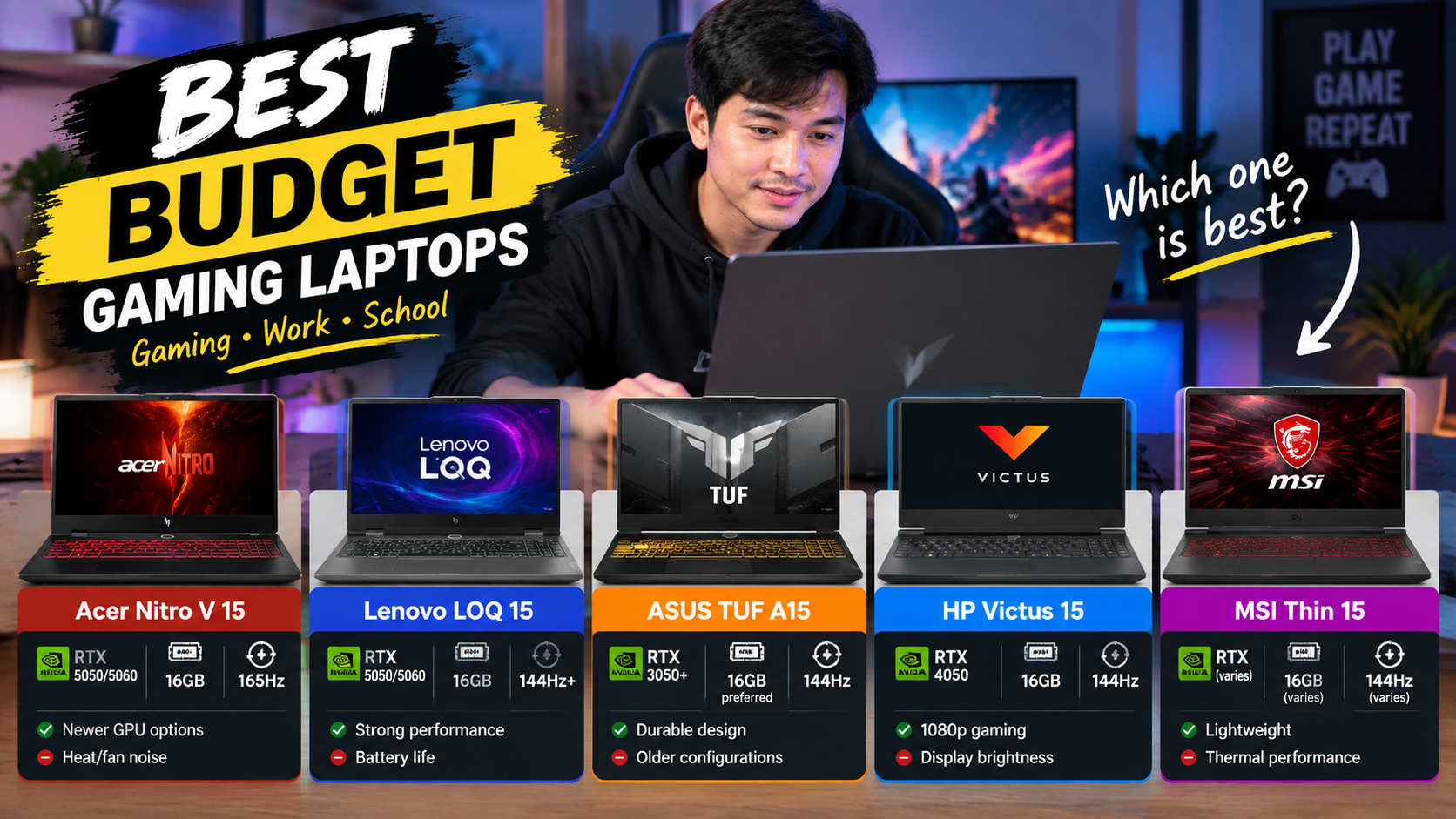
Best Budget Gaming Laptop 2026: 5 Affordable Gaming Laptops
If you are searching for the best budget gaming laptop in 2026, you no longer need to spend $1,500 or more to get a machine capable of serious 1080p gaming. However, choosing the right model has become more complicated because manufacturers sell many configurations under the same laptop name.
For example, an Acer Nitro V can be sold with an RTX 4050, RTX 5050, or RTX 5060, while the HP Victus 15 can appear with different processors, memory, displays, and graphics configurations. Therefore, the model name alone is not enough—you need to check the exact CPU, GPU, RAM, SSD, display and GPU power configuration.
Current 2026 market guides show RTX 5050 gaming laptops appearing around the $1,000 range, while the Acer Nitro V 15 and Lenovo LOQ 15 are among the inexpensive RTX 50-series options being actively promoted.
Quick Comparison: 5 Budget Gaming Laptops
| Laptop | Typical GPU Configuration | RAM | Display | Best For | Gearsreview Score* |
|---|---|---|---|---|---|
| Acer Nitro V 15 | RTX 5050 / RTX 5060 | 16GB | 15.6″ FHD high refresh | Modern 1080p gaming | 4.7/5 |
| Lenovo LOQ 15 | RTX 5050 / RTX 5060 | 16GB | 15.6″ FHD/high refresh | Performance-focused gamers | 4.7/5 |
| ASUS TUF Gaming A15 | RTX 3050/other configurations | 8–16GB | 15.6″ 144Hz | Durability + gaming | 4.5/5 |
| HP Victus 15 | RTX 4050 | 16GB | 15.6″ FHD 144Hz | Affordable AAA gaming | 4.6/5 |
| MSI Thin 15 | RTX 3050 | 16GB | 15.6″ FHD 144Hz | Casual/value gaming | 4.3/5 |
1. Acer Nitro V 15 — A Strong 2026 Budget Gaming Laptop
Rating: 4.7/5

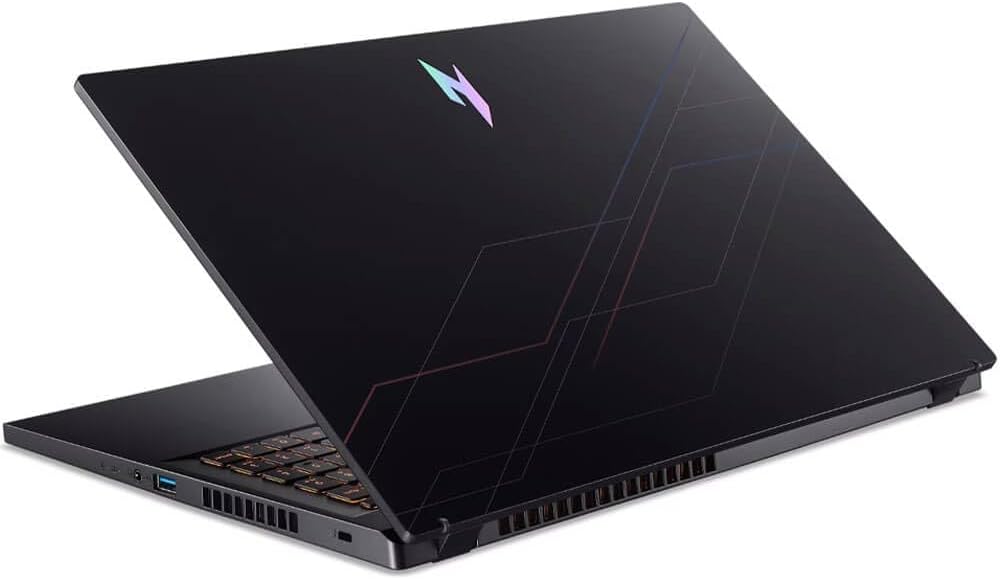
The Acer Nitro V 15 is one of the most interesting choices if your definition of a budget gaming laptop includes newer RTX 50-series graphics.
Amazon currently shows Nitro V configurations with an RTX 5050, while other Nitro V versions use RTX 4050 or RTX 5060 graphics.
Key specifications
A commonly listed newer configuration includes:
- 15.6-inch Full HD display
- Up to 165Hz refresh rate
- Intel Core i5-13420H
- NVIDIA GeForce RTX 5050 8GB
- 16GB DDR5 RAM
- 1TB PCIe NVMe SSD
- Windows 11
- Wi-Fi 6
- HDMI and USB connectivity
One current Nitro V 15 configuration lists an i5-13420H, RTX 5050 8GB, 16GB DDR5 and 1TB SSD with a 165Hz display.
Real-world gaming experience
The biggest attraction is the graphics card.
Rather than buying an older entry-level GPU, an RTX 5050 configuration gives this budget gaming laptop access to newer NVIDIA features and modern gaming technologies.
Furthermore, independent 2026 testing of the Nitro V family shows that the newer RTX 5060 version can provide strong 1080p gaming performance, although the tested model’s lower GPU power compared with some competitors affects performance.
TechRadar’s 2026 budget-laptop testing also found the Nitro V 15 capable of roughly 60–70 FPS in Cyberpunk 2077 under demanding settings, while noting significant heat and fan noise during gaming.
User experience
Common themes around Nitro V ownership include:
Users like:
- Gaming performance for the money
- High-refresh-rate display
- Upgrade possibilities
- Good connectivity
- Straightforward gaming-focused design
Users dislike:
- Fan noise under heavy gaming
- Heat
- Battery life while gaming
- Basic chassis compared with premium laptops
Pros & Cons
Pros
- Modern RTX 5050/5060 configurations
- High-refresh display
- Strong 1080p performance
- Good connectivity
- Upgrade-friendly design
Cons
- Fans become loud during gaming
- Battery life is much shorter when gaming
- Plastic construction
- Display quality depends on configuration
Best for: Gamers who want a newer GPU without moving into expensive premium gaming laptops.
2. Lenovo LOQ 15 — Performance-Focused Budget Gaming Laptop
Rating: 4.7/5
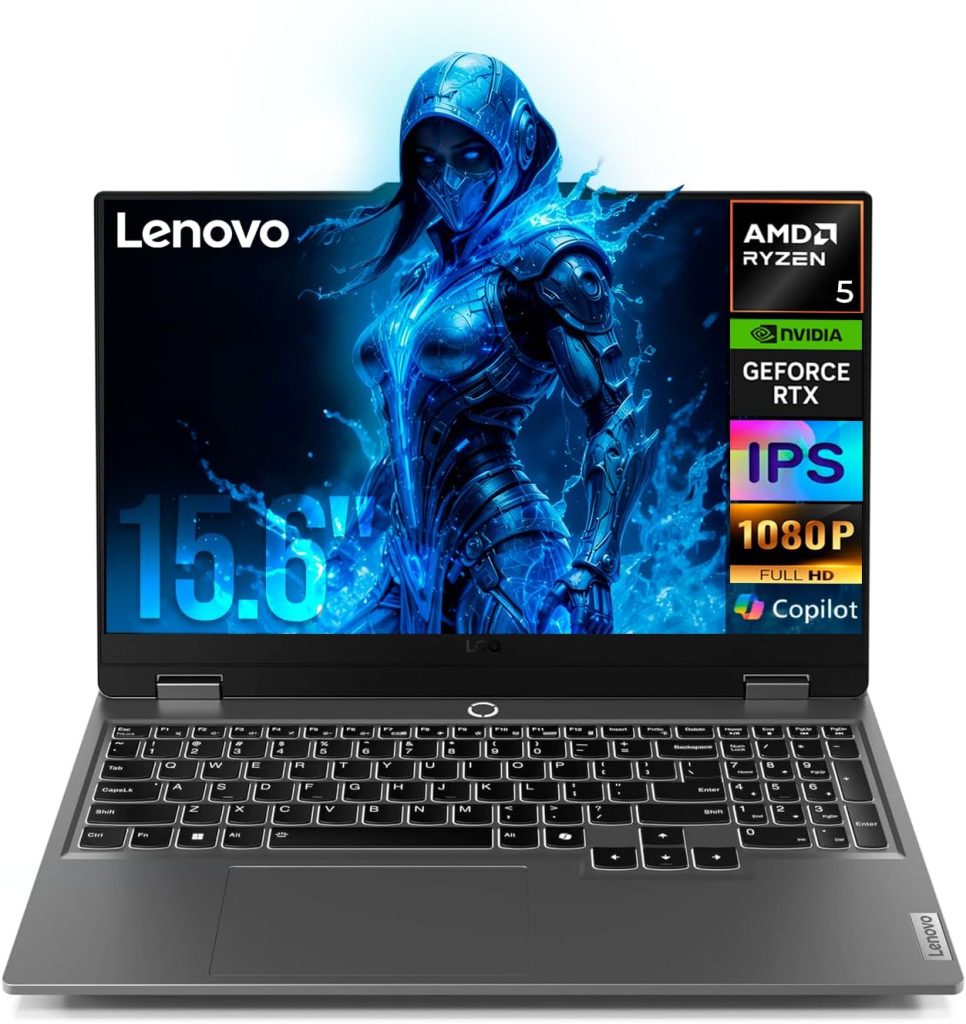
The Lenovo LOQ 15 has become another major name in the affordable gaming laptop category.
The 2026 market is particularly interesting because newer LOQ configurations can use NVIDIA RTX 5050 or RTX 5060 graphics. PC Gamer currently lists the LOQ 15 Gen 10 among its tested gaming laptops and reports strong gaming performance from its higher-wattage GPU configuration.
Key specifications
Depending on the listing, you may find:
- 15.6-inch display
- 144Hz or higher refresh rate
- Intel Core i5/i7 or AMD Ryzen processors
- RTX 3050, RTX 4050, RTX 5050 or RTX 5060
- 16GB DDR5 RAM
- 512GB or 1TB SSD
- Windows 11
An Amazon listing indexed for the LOQ family has also shown RTX 3050 configurations, illustrating why checking the exact SKU is important.
Gaming performance
The main reason to consider the LOQ is its performance-oriented design.
In PC Gamer’s 2026 testing, the LOQ 15 Gen 10 with RTX 5060 and a 115W GPU delivered strong results across demanding games.
That makes the LOQ particularly interesting if you want a budget gaming laptop that can also handle demanding games rather than only esports titles.
Additionally, a September 2026 Lenovo LOQ configuration with an RTX 5050 was reported at $999.99 during a Lenovo promotion, showing that RTX 50-series hardware can reach the sub-$1,000 segment during sales.
User experience
Users commonly appreciate the LOQ for:
- Gaming performance
- Keyboard quality
- Upgradeability
- Cooling
- Solid construction for its class
However, battery life remains one of the compromises associated with performance-oriented gaming laptops.
Older Amazon LOQ customer feedback also contains positive comments about gaming performance and upgradeability, while battery duration was a repeated complaint. Because those reviews cover older configurations, they should not be treated as direct measurements of every 2026 LOQ model.
Pros & Cons
Pros
- Strong gaming performance
- New RTX 5050/5060 options
- Good keyboard
- Upgrade potential
- Performance-focused cooling
Cons
- Battery life isn’t a major strength
- Some configurations are relatively heavy
- Display specifications vary considerably
- Exact GPU power matters
Best for: Gamers who prioritize gaming performance over thinness and portability.
3. ASUS TUF Gaming A15 — Durable and Versatile
Rating: 4.5/5
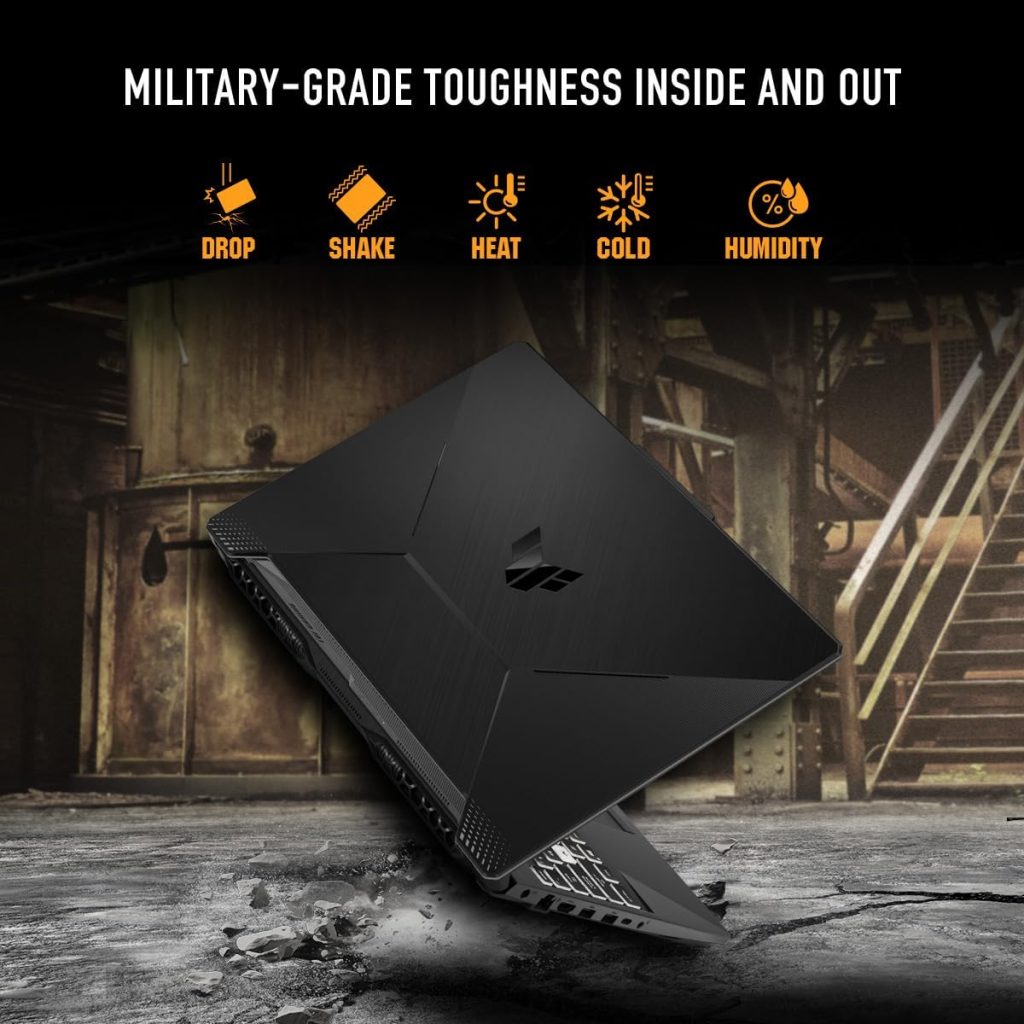
The ASUS TUF Gaming A15 is one of the longest-running names in the affordable gaming laptop market.
Its advantage is that it combines gaming hardware with a chassis designed around durability.
Key specifications
A15 configurations vary significantly, but examples include:
- 15.6-inch Full HD display
- 144Hz refresh rate
- AMD Ryzen 5/7 processors
- NVIDIA RTX graphics
- DDR5 memory on newer versions
- PCIe NVMe SSD
- Wi-Fi 6
- Windows 11
An Amazon-listed A15 configuration uses a Ryzen 5 7535HS, RTX 3050, 8GB DDR5, 512GB PCIe 4.0 SSD and a 144Hz display.
Gaming experience
The TUF A15 is especially suitable for someone who wants one machine for gaming, school, work and entertainment.
The 144Hz panel is useful for competitive games because fast movement looks smoother than on a standard 60Hz screen.
Moreover, the Ryzen processor provides enough general-purpose performance for multitasking, while the dedicated RTX graphics processor handles gaming.
What users say
Amazon customer feedback on an A15 configuration has included praise for portability and general satisfaction. However, the small review count on that particular Amazon Canada listing demonstrates an important point: you should not compare star ratings between different A15 SKUs as if they were the same product.
This is especially important when shopping for a budget gaming laptop because manufacturers frequently change CPU, GPU, RAM and display combinations while keeping the same family name.
Pros & Cons
Pros
- Durable-focused TUF design
- Good 144Hz display options
- Ryzen processors
- Wi-Fi 6
- Suitable for gaming and productivity
Cons
- Some configurations only include 8GB RAM
- RTX 3050 versions are older than RTX 50-series alternatives
- Battery life decreases significantly during gaming
- Exact configuration matters
Best for: Buyers who want a gaming laptop that can also function as an everyday work or school computer.
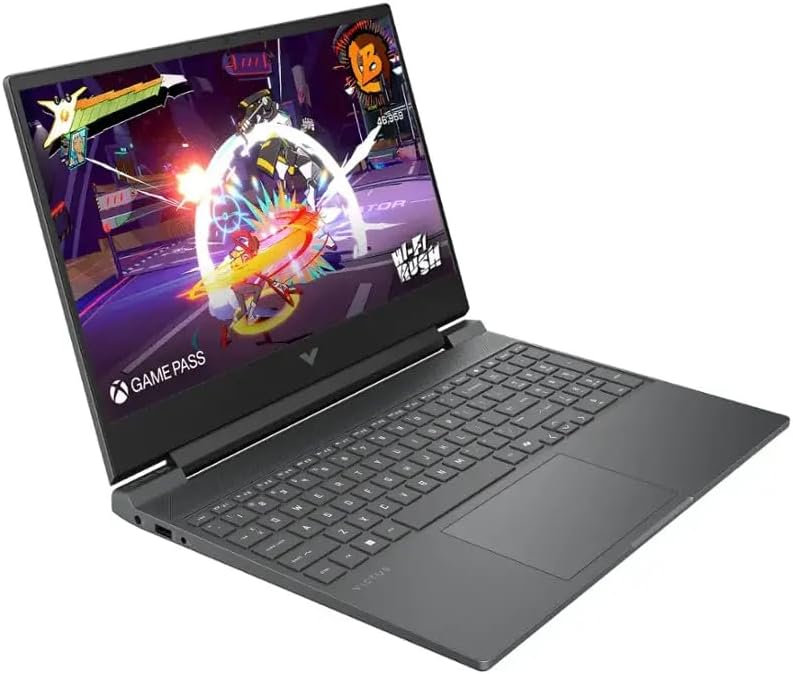
4. HP Victus 15 — RTX 4050 Performance at a Budget Price
Rating: 4.6/5
The HP Victus 15 is particularly interesting because RTX 4050 configurations can deliver substantially more gaming capability than older entry-level GPUs.
Key specifications
A currently indexed Amazon US Victus configuration includes:
- 15.6-inch Full HD IPS display
- 144Hz refresh rate
- AMD Ryzen 5 8645HS
- RTX 4050 6GB
- 16GB RAM
- 512GB SSD
- Wi-Fi 6
- Backlit keyboard
- Windows 11
Amazon lists this particular configuration with a 5.0/5 rating from only one review, which is far too small a sample to use as evidence of overall customer satisfaction.
Therefore, for this article, I would not present that 5.0 rating as representative of the entire Victus family.
Gaming performance
The RTX 4050 is still a practical choice for 1080p gaming.
A recent 2026 review of an RTX 4050 Victus configuration found solid plugged-in 1080p gaming performance, while identifying display brightness, plastic construction and battery life as areas where buyers should have realistic expectations.
This makes the Victus an interesting budget gaming laptop when the RTX 4050 version is heavily discounted.
User experience
The general Victus experience is attractive for buyers who don’t want an extremely aggressive gaming design.
The laptop can fit into environments where a flashy RGB gaming machine might look out of place.
At the same time, you still get:
- Dedicated NVIDIA graphics
- 144Hz gaming display
- Backlit keyboard
- Large 15.6-inch screen
- Windows 11
- Standard productivity features
Pros & Cons
Pros
- RTX 4050 configurations
- 144Hz display
- Good 1080p gaming capability
- More understated appearance
- Useful for work and school
Cons
- Display brightness can be modest
- Plastic construction
- Battery life during gaming is limited
- Many configurations exist, making comparison difficult
Best for: Buyers who find an RTX 4050 Victus at a good sale price.
5. MSI Thin 15 — Lightweight Budget Gaming Choice
Rating: 4.3/5
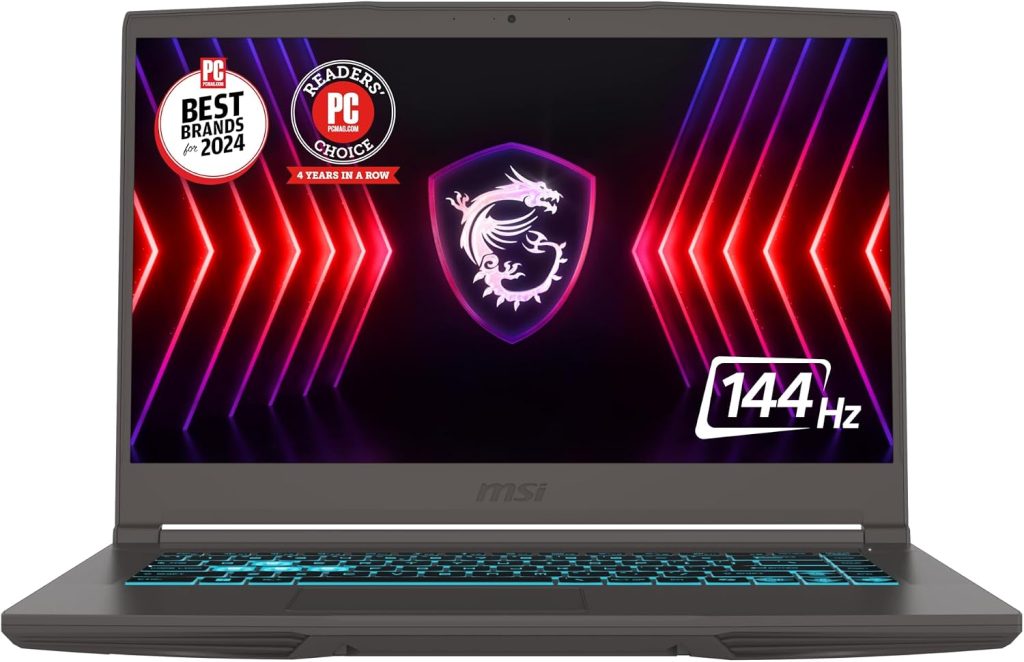
The MSI Thin 15 is aimed at buyers who want a relatively straightforward gaming machine without paying for a premium chassis.
Key specifications
A common Thin 15 configuration includes:
- 15.6-inch FHD IPS display
- 144Hz refresh rate
- Intel Core i5-13420H
- RTX 3050 4GB
- 16GB DDR4
- 512GB NVMe SSD
- Wi-Fi 6E
- Windows 11
- Backlit keyboard
Current retailer review data for this configuration shows 4.4/5 from more than 1,200 ratings, with users frequently mentioning fast performance and good value, while battery life is a recurring weakness.
An Amazon international listing for another Thin 15 configuration also shows 4.4/5 from 2,660 ratings, with 74% of ratings at five stars.
Real user experience
The Thin 15 is an interesting example of why a budget gaming laptop should be evaluated based on the entire package.
Users appreciate the:
- Fast processor
- 144Hz display
- 16GB RAM
- Relatively thin design
- Reasonable gaming performance
- Upgrade potential
On the other hand, battery life is not its strongest feature.
One recent customer review described the laptop as good overall but reported only around one to two hours during demanding gaming with high brightness and volume. Another user described it as suitable for casual gaming and noted that the RAM could be upgraded.
Pros & Cons
Pros
- 144Hz display
- 16GB RAM configuration
- RTX 3050 dedicated graphics
- Relatively thin design
- Good value when discounted
Cons
- Older RTX 3050 platform
- Battery life under gaming load is short
- 512GB can fill quickly
- DDR4 rather than newer DDR5 in some versions
Best for: Casual gamers and buyers looking for an inexpensive entry into PC gaming.
Budget Gaming Laptop Buying Guide for 2026
Choosing a budget gaming laptop isn’t simply about finding the cheapest laptop with the word “gaming” in the title.
Instead, concentrate on these six specifications.
1. GPU Comes First
For gaming, the graphics processor is usually more important than having an extremely expensive CPU.
In 2026, look for:
Preferred: RTX 5050 / RTX 5060
Still useful: RTX 4050
Entry-level: RTX 3050
The newer RTX 50-series options are particularly attractive because current 2026 laptops are beginning to bring them into the sub-$1,000 market.
2. Get at Least 16GB RAM
For a new budget gaming laptop, I recommend looking for 16GB RAM whenever possible.
Although 8GB can run many games, modern Windows applications, browsers, launchers and games can consume memory quickly.
Therefore:
8GB: Basic
16GB: Practical target
32GB: Excellent for gaming + heavy multitasking
3. Don’t Ignore the Display
A 144Hz or 165Hz screen can make a gaming laptop feel considerably smoother.
For most budget buyers, I would look for:
- 1080p resolution
- IPS panel
- 144Hz minimum
- Good brightness
- Reasonable color coverage
A high refresh rate is particularly useful for competitive shooters and esports games.
4. Check GPU Power
This is one of the most important details that inexperienced buyers can miss.
Two laptops can both have an RTX 4050 or RTX 5050 but deliver different performance depending on the laptop’s power configuration and cooling.
PC Gamer specifically emphasizes checking GPU wattage/TGP when comparing gaming-laptop deals.
So, before purchasing, check:
GPU model + TGP + cooling + CPU + RAM
rather than GPU model alone.
What About Gaming Under $500?
This is becoming difficult in 2026.
Current market reporting indicates that genuine gaming laptops below $500 are increasingly uncommon, and the cheapest options often require significant compromises.
Consequently, if your budget is around $700–$1,000, you generally have more realistic choices for a modern dedicated-GPU gaming laptop.
A $500 laptop may technically be marketed for gaming, but it could have:
- Older graphics
- 8GB RAM
- Weak cooling
- 60Hz display
- Small SSD
- Limited upgradeability
Spending more initially can therefore prevent an early upgrade.
Which Budget Gaming Laptop Should You Buy?
Instead of choosing solely by brand, match the laptop to how you intend to use it.
For newer-generation gaming
Acer Nitro V 15
Look for an RTX 5050 or RTX 5060 configuration with 16GB RAM.
For maximum gaming performance
Lenovo LOQ 15
The RTX 5050/5060 configurations are particularly interesting because of their performance-oriented hardware.
For durability and everyday use
ASUS TUF Gaming A15
The TUF family makes sense if gaming is only one part of your laptop usage.
For an RTX 4050 bargain
HP Victus 15
A good sale can make the RTX 4050 configuration attractive for 1080p gaming.
For an inexpensive entry-level machine
MSI Thin 15
The RTX 3050 version is older, but 16GB RAM and a 144Hz display make it a practical starting point when heavily discounted.
Final Verdict: Best Budget Gaming Laptop 2026
The budget gaming laptop market in 2026 is changing quickly. RTX 5050 systems are moving into price ranges that were previously dominated by RTX 3050 and RTX 4050 machines, while ongoing component-price pressure means good deals can disappear quickly.
For shoppers, the most important lesson is simple: compare the exact configuration, not just the laptop family name.
The Acer Nitro V 15 and Lenovo LOQ 15 are particularly interesting when equipped with newer RTX 5050/5060 graphics. Meanwhile, the HP Victus 15 RTX 4050 can make sense when discounted, while the ASUS TUF Gaming A15 and MSI Thin 15 remain useful alternatives depending on the exact configuration and price.
Most importantly, before clicking the Amazon purchase button, check the GPU, GPU power, 16GB RAM, SSD capacity, display refresh rate and current customer feedback.
Prices, configurations, sellers and Amazon ratings can change frequently, so use the product links above to verify the exact configuration currently being offered.
Gearsreview Quick Comparison
| Model | GPU to Look For | RAM | Refresh Rate | Main Advantage | Main Concern |
|---|---|---|---|---|---|
| Acer Nitro V 15 | RTX 5050/5060 | 16GB | 165Hz | Newer GPU options | Heat/fan noise |
| Lenovo LOQ 15 | RTX 5050/5060 | 16GB | 144Hz+ | Strong performance | Battery life |
| ASUS TUF A15 | RTX 3050+ | 16GB preferred | 144Hz | Durable design | Older configurations |
| HP Victus 15 | RTX 4050 | 16GB | 144Hz | 1080p gaming | Display brightness |
| MSI Thin 15 | RTX 3050 | 16GB | 144Hz | Affordable entry point | Older GPU/battery |