
Best Podcasting Microphone 2026: Top 5 Reviews
What Makes a Good Podcasting Microphone?
Before buying a podcasting microphone, it’s worth understanding what actually affects your recordings.
The first major choice is dynamic versus condenser.
Dynamic microphones are usually the safer option for bedrooms, offices, living rooms, and other imperfect recording environments. They tend to focus more strongly on the person speaking directly into them and can reject some surrounding noise and room reflections. That’s particularly useful when there’s an air conditioner humming nearby or your room has hard walls.
Condenser microphones, by comparison, can capture more delicate detail and ambience. That can be fantastic in a properly treated recording room. Yet, there’s a catch: they can also pick up keyboard clicks, fans, traffic, reflections, and other noises you didn’t realize were there. That’s why many podcasting experts recommend dynamic models for beginners recording at home.
Even the best podcasting microphone needs to be positioned correctly. Dynamic microphones generally reward close placement. RØDE, for example, recommends positioning the PodMic USB around 5–10 cm from your mouth for best results.
In other words, buying an expensive microphone and placing it two feet away isn’t going to produce the magic you expect.
Quick Shopping Tips for Your Podcasting Microphone
1. Choose dynamic if your room is noisy
If you record beside a road, in a bedroom, or in a normal home office, start with a dynamic podcasting microphone.
2. Choose USB for simplicity
USB is the easiest route for solo podcasters who don’t already own an audio interface.
3. Choose USB + XLR for long-term flexibility
A hybrid microphone can grow with your podcast. Start with USB, then add an interface later.
4. Don’t pay for features you’ll never use
If you’re only recording a single voice track, advanced software mixing may not matter.
5. Budget for a boom arm
A good microphone becomes easier to position with a sturdy boom arm. It also keeps the desk less cluttered.
6. Use headphones while recording
Real-time monitoring lets you catch clipping, background noise, cable problems, and other issues before they ruin an episode.
7. Check the microphone’s software requirements
Some advanced microphones rely heavily on companion software. That’s fine—unless you’re using an operating system or workflow that isn’t fully supported.
Shure MV7+ — Best Overall Podcasting Microphone
Rating Score: 9.7/10

Product Description
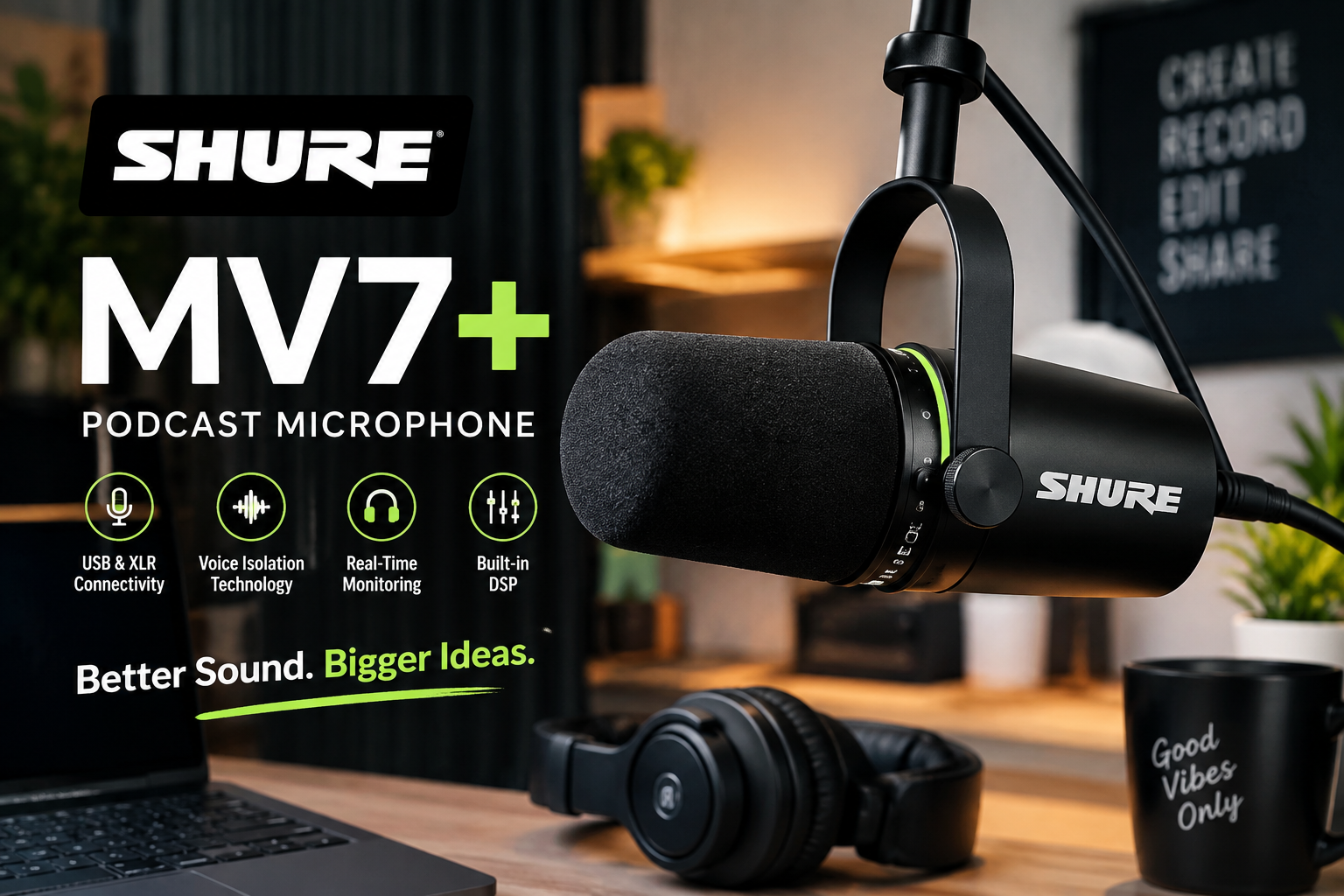
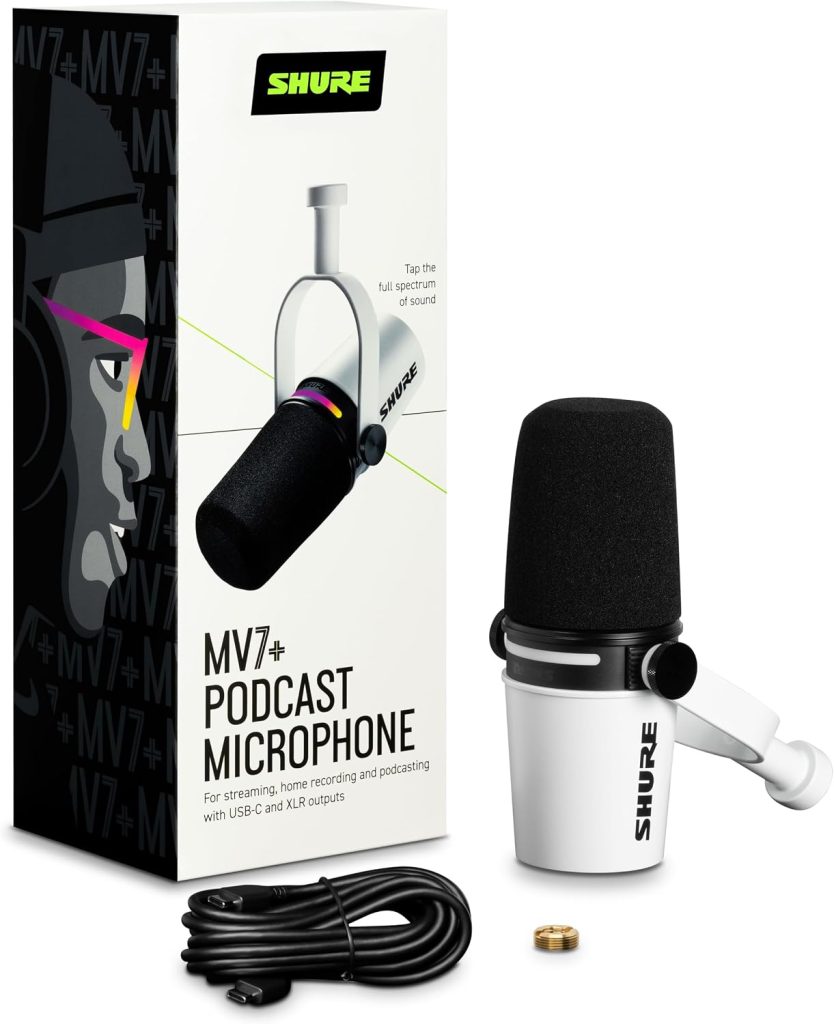
The Shure MV7+ is the microphone I’d recommend to someone who wants to buy one serious podcasting microphone and stop worrying about upgrading for quite a while.
Shure designed the MV7+ around the idea of getting professional-sounding speech in less-than-perfect environments. That’s important because most independent podcasters don’t have a dedicated broadcast studio. They record in bedrooms, offices, spare rooms, or wherever they can squeeze a microphone and laptop.
The MV7+ uses USB-C and XLR outputs, so it can serve both beginners and more advanced users. Through USB-C, you can connect directly to a computer or compatible mobile device. Through XLR, you can connect it to an audio interface or mixer. It also includes a 3.5mm headphone output for latency-free monitoring.
Its standout features include Auto Level Mode, real-time Denoiser, Digital Popper Stopper, voice isolation, and customizable LED touch controls. Shure’s MOTIV Mix software provides additional control over gain, sound signature, EQ, compression, and other settings.
Amazon-associated U.S. product research shows strong demand and ratings around 4.7/5, with one September 2026 snapshot listing roughly 4,000 ratings for the relevant MV7+ listing.
Key Features
- Dynamic broadcast-style microphone
- USB-C connectivity
- XLR output
- Auto Level Mode
- Real-time Denoiser
- Digital Popper Stopper
- Voice Isolation
- 3.5mm headphone monitoring
- LED touch panel
- MOTIV Mix software
- Designed for podcasting, streaming, recording, and voice work
Pros
- Excellent spoken-word sound
- Strong background-noise control
- USB and XLR flexibility
- Excellent software controls
- Automatic level management
- Professional construction
- Great upgrade path
Cons
- Expensive
- Boom arm or stand usually costs extra
- Heavier than basic USB microphones
- Software adds complexity for users who want absolute simplicity
Amazon User Takeaway
The biggest theme from customer feedback is straightforward: sound quality.
Buyers generally like the rich voice presentation and the fact that the microphone can produce a polished result without requiring a complicated studio chain. The USB/XLR combination is another recurring attraction because users don’t have to replace the microphone when their setup evolves.
The downside is price. If you’re launching your first podcast and have $70 to spend, the MV7+ isn’t the obvious choice. But if you’re building a serious show and want one microphone capable of handling recording, streaming, interviews, and future upgrades, the premium becomes much easier to justify.
Best for: Serious podcasters, professional creators, interview shows, streamers, and anyone recording in a less-than-perfect room.
RØDE PodMic USB — Best Premium Value Podcasting Microphone
Rating Score: 9.4/10
Product Description
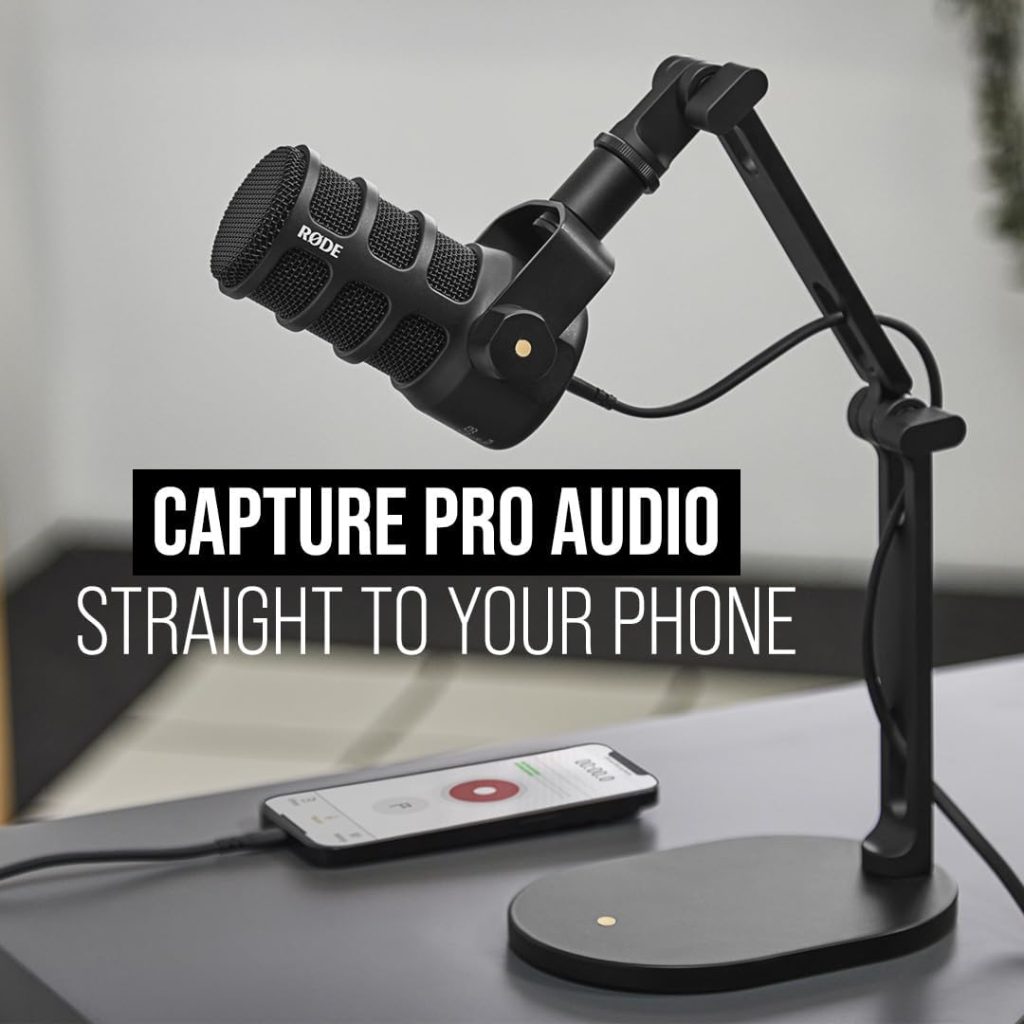
The RØDE PodMic USB is a fascinating alternative to the Shure because it takes a very different approach while still offering the features serious creators need.
First, it’s a dynamic broadcast microphone designed specifically for spoken-word applications. More importantly, it provides both USB-C and XLR connectivity. RØDE says the USB connection includes its Revolution Preamp and APHEX digital signal processing, while the XLR output allows traditional interface and mixer connectivity.
That’s a big deal.
Imagine starting a podcast with nothing more than a laptop. You connect the PodMic USB through USB-C and record. A year later, your podcast grows, you buy an audio interface, and suddenly you can switch to XLR without buying another microphone.
The PodMic USB also includes a built-in pop filter, internal shock mount, swing mount, headphone output, and headphone volume control. RØDE describes the microphone as having a robust all-metal construction, and the company also makes it compatible with Windows, Mac, iOS, and Android devices.
Amazon-linked product data shows a strong customer rating, although the exact rating varies among listings and snapshots. One current product-data source records approximately 4.6/5 from thousands of ratings, while other Amazon-associated 2026 sources report a lower 4.3-star snapshot for particular listings.
Key Features
- Dynamic broadcast microphone
- USB-C
- XLR
- APHEX DSP
- Revolution Preamp
- Zero-latency headphone output
- Internal pop filter
- Internal shock mount
- Integrated swing mount
- External pop filter included
- All-metal construction
- Windows, Mac, iOS, and Android compatibility
Pros
- Rich, focused voice reproduction
- USB and XLR connectivity
- Excellent build quality
- Built-in processing
- Zero-latency monitoring
- Good noise rejection
- Strong upgrade path
Cons
- Heavy
- Stand/boom arm may cost extra
- USB and XLR cannot be used as simultaneous outputs
- Some users report USB connectivity concerns
- Requires close positioning for best results
Amazon User Takeaway
Amazon-oriented reviews overwhelmingly praise the PodMic family for sound quality and rugged construction. Users commonly appreciate its ability to produce a fuller broadcast-style voice while keeping background sound under control.
There is, however, an important caveat. Some recent review sources identify complaints about USB connectivity with a subset of units. That doesn’t mean every unit has a problem, but it’s worth testing the connection thoroughly during the return period if you’re planning to use the microphone for live broadcasts.
Another recurring consideration is weight. This isn’t a featherweight microphone. Put it on a flimsy arm and you’ll soon discover that gravity always wins.
Best for: Podcasters who want premium sound, USB/XLR flexibility, and a microphone they can continue using as their studio grows.
Samson Q2U — Best Budget Podcasting Microphone
Rating Score: 9.3/10
Product Description
The Samson Q2U has been around for years, and yet it continues to show up in 2026 buying guides. There’s a good reason for that: it gets the important things right without making beginners spend a fortune.
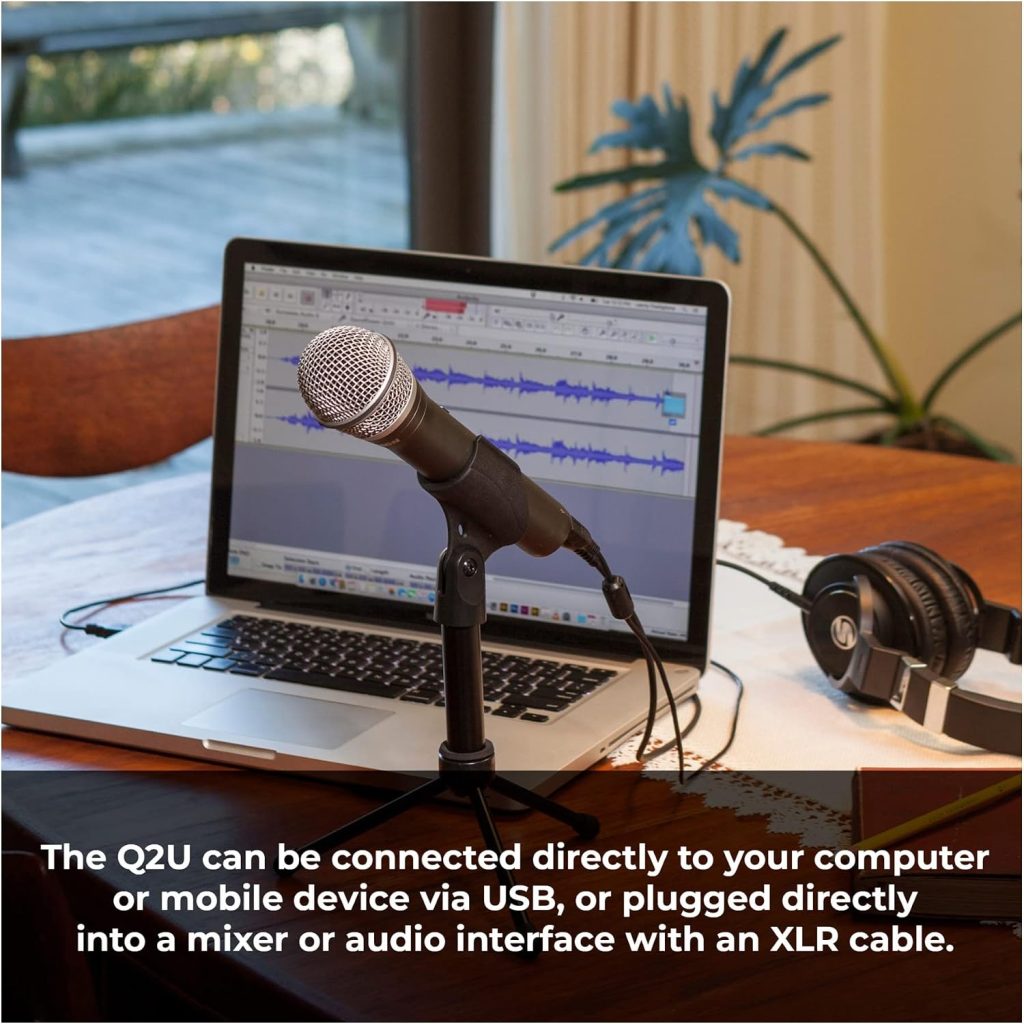
The Q2U is a cardioid dynamic microphone with both USB and XLR connectivity. That means you can connect it directly to a computer today and use an interface tomorrow.
One current Amazon-associated snapshot shows the Q2U at approximately 4.6/5 from more than 4,000 ratings, while another Amazon-tracking source reports more than 5,000 buyer reviews.
That’s a meaningful customer base.
The microphone also includes a desktop stand, microphone clip, windscreen, USB cable, and XLR cable in many of its common packages. A built-in headphone output provides direct monitoring, which is another feature you don’t always get at this price.
So why does the Q2U remain such a popular beginner podcasting microphone?
Because it doesn’t force you to buy an entire studio before recording your first episode.
Plug it in, position it close to your mouth, put on headphones, open your recording software, and start talking. That’s it.
Key Features
- Dynamic cardioid capsule
- USB connectivity
- XLR connectivity
- 3.5mm headphone monitoring
- Desktop tripod stand
- Microphone clip
- Windscreen
- USB cable
- XLR cable
- Portable design
Pros
- Excellent value
- USB and XLR
- Good spoken-word sound
- Easy for beginners
- Headphone monitoring
- Accessories included
- Large customer-review base
Cons
- Less premium construction than the MV7+
- Basic controls
- Not as sophisticated as newer DSP microphones
- Desktop stand can take up valuable workspace
- Requires close speaking technique
Amazon User Takeaway
Customer feedback is remarkably consistent: the Q2U sounds much better than its price suggests.
Buyers frequently appreciate the clarity, warmth, ease of setup, and flexibility. The included accessories also make it a particularly appealing first microphone.
Naturally, there are compromises. It doesn’t have the advanced automatic processing found in the Shure MV7+, and the physical design doesn’t scream luxury. But here’s the thing: your audience doesn’t care whether the microphone looks expensive. They care whether they can hear you clearly.
For a first podcast, that’s a very good bargain.
Best for: Beginners, students, first-time podcasters, home creators, and budget-conscious users.
Audio-Technica ATR2100x-USB — Best Value Upgrade Path
Rating Score: 9.1/10
Product Description
The Audio-Technica ATR2100x-USB is another microphone that proves you don’t need to spend hundreds of dollars to get serious podcasting equipment.
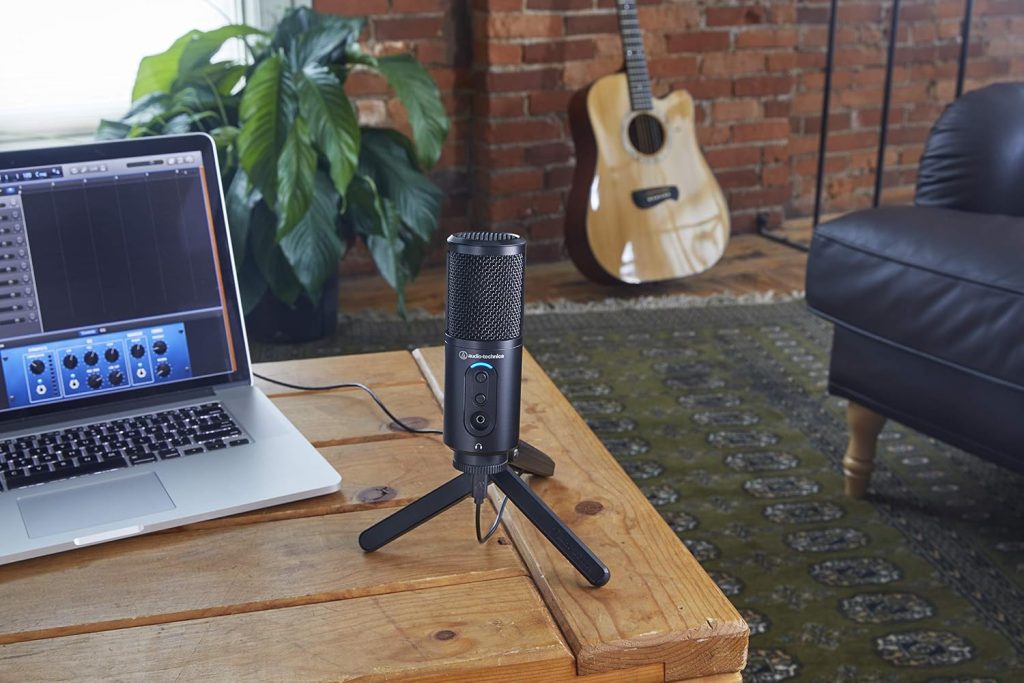
It’s a cardioid dynamic microphone with USB-C and XLR outputs, making it particularly appealing for creators who want to begin with a computer and eventually move to a proper interface.
Audio-Technica’s documentation says the ATR2100x-USB is designed for podcasting, home-studio recording, field recording, voice-over work, and live performance. It also includes a built-in headphone jack with volume control and supports digital recording at up to 24-bit/192kHz.
The cardioid pickup pattern is another advantage. It helps reduce sound arriving from the sides and rear, which can improve voice isolation.
Amazon-related data for the ATR2100x family shows approximately 4.6 stars from around 2,000 ratings in one recent snapshot.
That puts it firmly into “proven budget favorite” territory.
The design is also wonderfully straightforward. There aren’t RGB lights, complicated menus, or elaborate software dashboards. Instead, you get a microphone that concentrates on the fundamentals.
And sometimes, that’s exactly what you want.
Key Features
- Cardioid dynamic microphone
- USB-C digital output
- XLR analog output
- Built-in headphone output
- Headphone volume control
- Up to 24-bit/192kHz digital recording
- Folding tripod desk stand
- Durable metal construction
- USB-C cables
- XLR cable
Pros
- Excellent value
- USB-C and XLR
- Clear speech reproduction
- Strong background rejection
- Headphone monitoring
- Portable
- Durable metal construction
Cons
- Plain appearance
- Fewer software features
- Handling noise can be noticeable
- Not as polished as premium broadcast microphones
- Included desktop stand is basic
Amazon User Takeaway
The strongest customer theme is value.
People who buy the ATR2100x-USB tend to appreciate that it sounds substantially more professional than a basic built-in computer microphone without requiring an expensive audio interface.
Another benefit is flexibility. You aren’t trapped in a USB-only setup. When your podcast grows, you can connect the microphone through XLR.
There is a small learning curve, however. As with most dynamic microphones, placement matters. If you’re too far away, your voice can become quieter and thinner. If you tap the desk or handle the microphone while recording, those vibrations can also make their way into the recording.
In other words, it’s an excellent tool—but you still need decent microphone technique.
Best for: Budget podcasters, voice-over creators, students, travelers, and people planning to upgrade to XLR later.
Elgato Wave:3 — Best Podcasting Microphone for Streaming and Audio Mixing
Rating Score: 9.0/10
Product Description
The Elgato Wave:3 is the odd one out in this group because it’s a condenser rather than a dynamic microphone. Yet it earns its place because its biggest selling point isn’t simply the capsule—it’s the software ecosystem.
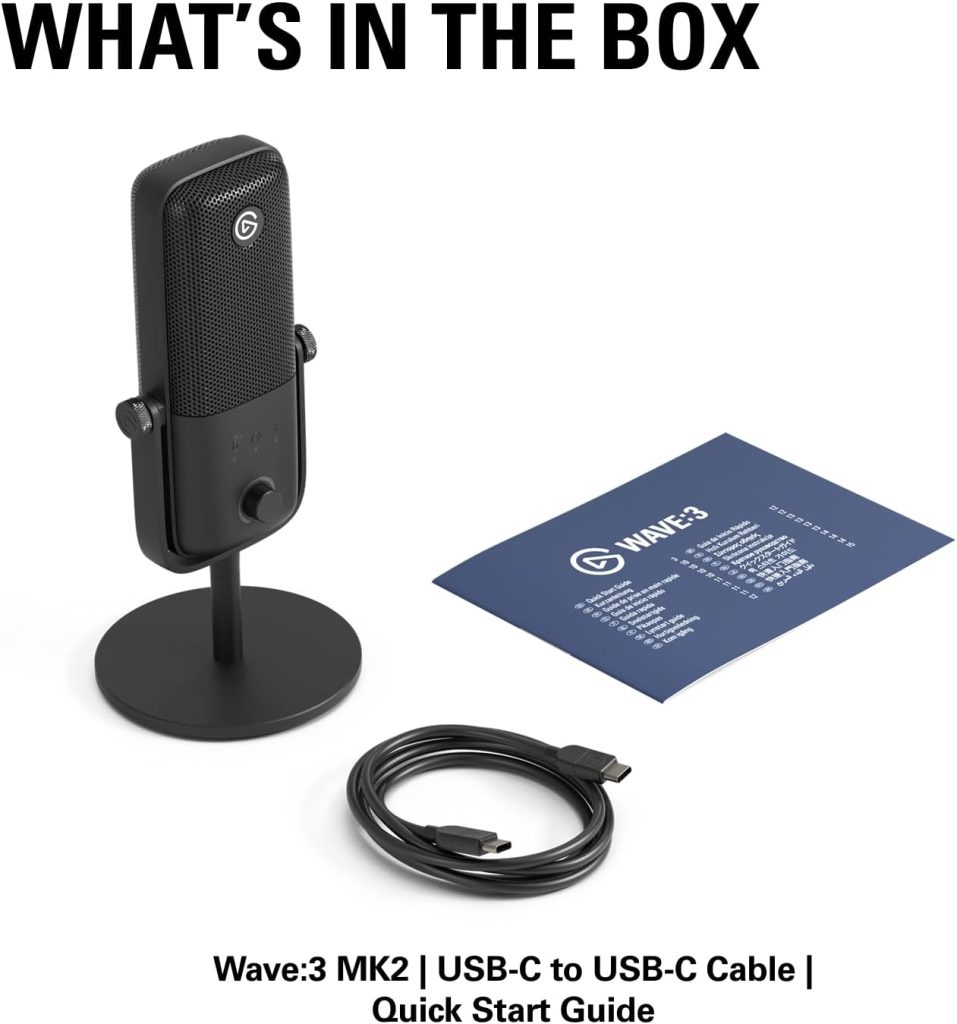
The Wave:3 uses a 17mm electret condenser capsule, cardioid pickup, USB-C connectivity, 24-bit resolution, and sampling rates up to 96kHz. It also provides zero-latency headphone monitoring and a multifunction dial for input gain, headphone volume, and mic/PC mix control.
Then there’s Wave Link.
Wave Link allows creators to manage multiple audio sources and create separate mixes. That’s extremely handy for streamers who want one mix for themselves and another for their audience.
The microphone also uses Clipguard, Elgato’s anti-distortion technology. The system detects sudden peaks and redirects the signal through a lower-volume path, reducing the risk of ugly clipping when you suddenly laugh, shout, or get excited.
Amazon-associated data shows the Wave:3 with an impressive 4.7/5 rating and roughly 10,000+ reviews, although Amazon’s pooled ratings can combine different Wave:3 generations or variants, so buyers should check the exact listing carefully.
Key Features
- 17mm condenser capsule
- Cardioid pickup
- USB-C
- 24-bit audio
- Up to 96kHz sample rate
- Wave Link software
- Clipguard anti-distortion
- Capacitive mute
- Multifunction control dial
- Zero-latency headphone output
- Included desktop stand
Pros
- Excellent vocal clarity
- Superb software mixing
- Clipguard protection
- Easy physical controls
- Zero-latency monitoring
- Attractive desk design
- Excellent for streaming
Cons
- Condenser capsule can capture more room noise
- USB-only
- Wave Link takes time to learn
- Newer variants have generated some reliability concerns in review analysis
- Not the obvious choice for noisy rooms
Amazon User Takeaway
The strongest customer theme is clean sound combined with useful software.
Users who stream or create video content particularly appreciate Wave Link because it solves an audio-routing problem that otherwise requires additional software or hardware.
However, there’s an important distinction between this microphone and the dynamic models above. The Wave:3 is more sensitive. If you’re recording in a room with fans, keyboard noise, reflections, or street sounds, a dynamic microphone may be easier to manage.
There’s also a version issue worth knowing about. Recent analysis points out that Amazon can pool Wave:3 family ratings, making the headline 4.7-star figure less useful when evaluating a specific newer variant.
Therefore, check the exact model before buying.
Best for: PC streamers, video creators, podcasters in relatively quiet rooms, and users who want powerful software mixing.
Best Podcasting Microphone Comparison Table
| Feature | Shure MV7+ | RØDE PodMic USB | Samson Q2U | ATR2100x-USB | Elgato Wave:3 |
|---|---|---|---|---|---|
| Mic Type | Dynamic | Dynamic | Dynamic | Dynamic | Condenser |
| USB | ✅ USB-C | ✅ USB-C | ✅ | ✅ USB-C | ✅ USB-C |
| XLR | ✅ | ✅ | ✅ | ✅ | ❌ |
| Headphone Monitoring | ✅ | ✅ | ✅ | ✅ | ✅ |
| DSP | ✅ | ✅ APHEX | ❌ | ❌ | ✅ |
| Noise Control | Excellent | Very Good | Good | Good | Good |
| Best Room Type | Home/Studio | Home/Studio | Home/Office | Home/Office | Quiet Room |
| Beginner Friendly | Very Good | Very Good | Excellent | Excellent | Very Good |
| Streaming | Excellent | Excellent | Good | Good | Excellent |
| Upgrade Path | Excellent | Excellent | Excellent | Excellent | Limited |
| Customer Rating Signal | ~4.7/5 | ~4.3–4.6/5 | ~4.6–4.7/5 | ~4.6/5 | ~4.7/5 |
| Rating Score | 9.7/10 | 9.4/10 | 9.3/10 | 9.1/10 | 9.0/10 |
Amazon ratings are changing snapshots from Amazon-associated research sources and can differ by color, bundle, generation, and listing.
Which Podcasting Microphone Should You Buy?
So, which podcasting microphone makes the most sense for you?
Choose the Shure MV7+ if you want the best overall package
The MV7+ is the safest premium recommendation. It has excellent voice isolation, USB-C and XLR, sophisticated processing, automatic level control, and headphone monitoring.
Choose the RØDE PodMic USB if value and flexibility matter
The PodMic USB is particularly compelling if you want professional-style sound and both USB and XLR connections. Its onboard APHEX processing adds another layer of flexibility.
Choose the Samson Q2U if you’re starting your first podcast
It’s hard to argue with a microphone that provides USB, XLR, headphone monitoring, useful accessories, and thousands of positive customer reviews at an entry-level price.
Choose the ATR2100x-USB if you want maximum value
The ATR2100x-USB is a no-nonsense microphone. It doesn’t distract you with unnecessary features; instead, it focuses on voice clarity, durability, USB-C, and XLR flexibility.
Choose the Elgato Wave:3 if you’re also a streamer
Wave Link is the secret sauce. If your podcast overlaps with streaming, gaming, Discord, YouTube, or multi-source content creation, the Wave:3 can make audio management considerably easier.
Frequently Asked Questions
What is the best podcasting microphone in 2026?
For most serious creators, the Shure MV7+ is the best overall podcasting microphone because it combines excellent speech capture, USB-C and XLR connectivity, automatic level management, noise reduction, digital pop filtering, and headphone monitoring.
However, the best choice depends on your room, budget, and recording workflow.
Is a dynamic or condenser microphone better for podcasting?
For many home podcasters, a dynamic microphone is the easier choice because it tends to reject unwanted environmental sound better.
A condenser can be excellent in a quiet, acoustically controlled room because it captures more detail. But in an ordinary bedroom or office, that sensitivity can become a disadvantage.
Is USB or XLR better for a podcasting microphone?
USB is easier for beginners because you can connect directly to a computer.
XLR is better suited to a traditional studio setup and offers more flexibility with interfaces, mixers, and future equipment.
If you aren’t sure, a USB/XLR hybrid such as the MV7+, PodMic USB, Q2U, or ATR2100x-USB gives you both options.
Do I need an audio interface for podcasting?
Not necessarily.
If your microphone has USB connectivity, you can usually connect it directly to your computer. An audio interface becomes useful when you’re using XLR microphones, multiple microphones, hardware processing, or more advanced monitoring.
That’s why USB/XLR hybrid microphones are so attractive to beginners.
How close should a podcast microphone be to my mouth?
Generally, dynamic microphones sound best when positioned fairly close. RØDE recommends approximately 5–10 cm for the PodMic USB.
The exact distance varies according to your voice, microphone, gain level, and desired sound.
Do I need a pop filter?
A pop filter or windscreen can help reduce explosive “P” and “B” sounds.
Some microphones already include built-in protection. The PodMic USB, for example, has an internal pop filter and also includes an external pop filter.
The Shure MV7+ also uses Digital Popper Stopper technology alongside physical filtering.
Can I use these microphones for YouTube and streaming?
Absolutely.
In fact, most of these microphones work extremely well for YouTube voiceovers, Twitch streams, online courses, interviews, Discord, gaming commentary, and livestreams.
The Elgato Wave:3 is particularly strong for streamers because Wave Link lets you manage several audio sources and create different mixes.
Is the Samson Q2U still worth buying in 2026?
Yes.
The Q2U may lack the fancy DSP and modern software of premium competitors, but its USB/XLR flexibility, dynamic capsule, headphone monitoring, accessories, and strong Amazon customer history make it one of the most sensible entry-level microphones available.
Should I spend $250–$300 on a podcasting microphone?
It depends.
If you’re experimenting with podcasting for the first time, you probably don’t need to spend that much. A Q2U or ATR2100x-USB can produce very respectable speech recordings.
However, if podcasting is already a serious project, the Shure MV7+ can justify its higher cost through its processing, connectivity, noise management, and upgrade flexibility.
Conclusion
Choosing the best podcasting microphone in 2026 isn’t really about finding the microphone with the biggest price tag.
Instead, it’s about matching the microphone to your room, voice, equipment, and workflow.
The Shure MV7+ takes the overall win because it offers a polished combination of professional sound, USB-C convenience, XLR flexibility, voice isolation, automatic level management, Digital Popper Stopper, and monitoring.
The RØDE PodMic USB is an excellent alternative, particularly for creators who want APHEX processing, a rugged all-metal body, USB/XLR connectivity, and a strong spoken-word presentation.
For beginners, though, the Samson Q2U remains the bargain to beat. It doesn’t try to be fancy; it simply gives you the tools required to start recording without a mountain of additional equipment.
The Audio-Technica ATR2100x-USB takes a similar approach, offering excellent flexibility and a straightforward upgrade path through USB-C and XLR.
Finally, the Elgato Wave:3 is the specialist choice for creators who want their microphone to become part of a larger streaming and audio-routing ecosystem. Its Wave Link software and Clipguard system make it particularly attractive for PC-based creators.
Final Recommendations
🏆 Best Overall: Shure MV7+
🎙️ Best Premium Value: RØDE PodMic USB
💰 Best Budget: Samson Q2U
🔄 Best Upgrade Path: Audio-Technica ATR2100x-USB
🎛️ Best for Streaming: Elgato Wave:3
Most importantly, don’t forget that microphone technique and room acoustics matter almost as much as the hardware. Get the microphone close, speak consistently toward the capsule, reduce background noise, and monitor with headphones. Do that, and even a reasonably priced podcasting microphone can sound remarkably professional.
The microphone is only the starting point. Your recording habits are what turn that hardware into a great-sounding podcast.
Amazon availability and prices can change at any time, so verify the exact listing, generation, bundle, seller, and current customer rating before purchasing.