
Best Portable Webcam 2026: 5 Amazon Favorites Reviewed
Webcam Buying Guide and Quick Verdict
What makes a webcam genuinely portable? In my view, it’s a combination of compact dimensions, a practical mounting system, USB connectivity, reasonable weight, and software that doesn’t turn a five-minute setup into an afternoon project.
That’s why I haven’t ranked these cameras on resolution alone. A 4K camera may look fantastic, but if it’s bulky, requires a specific USB connection, or becomes awkward to transport, it isn’t necessarily the best travel-friendly choice.
Quick Shopping Tips for a Portable Webcam
Before clicking the Amazon Buy button, ask yourself a few simple questions.
Do you really need 4K? Not always. Zoom, Teams, Meet, and similar services may compress your video, so a good 1080p camera with excellent exposure and color can look better than a poorly configured 4K model.
Will you travel with it? If yes, pay attention to dimensions, weight, cable arrangement, mounting hardware, and whether the camera can be packed without its lens being damaged.
Do you move while presenting? Choose an AI-tracking PTZ camera such as the Insta360 Link 2 or OBSBOT Tiny 2 Lite.
Do you work in a dim room? Sensor size matters. The Razer Kiyo Pro Ultra is especially interesting because its large Sony STARVIS 2 sensor and f/1.7 lens are designed to gather more light.
Do you need privacy? A physical shutter is still preferable to relying solely on software. The MX Brio, for example, has an integrated privacy shutter.
Will you use a laptop? USB-C connectivity is increasingly convenient. However, check your computer’s USB specification before buying a camera that requires high bandwidth for its maximum resolution.
Logitech MX Brio — Best Overall Portable Premium Webcam
Rating Score: 9.6/10

Product Description
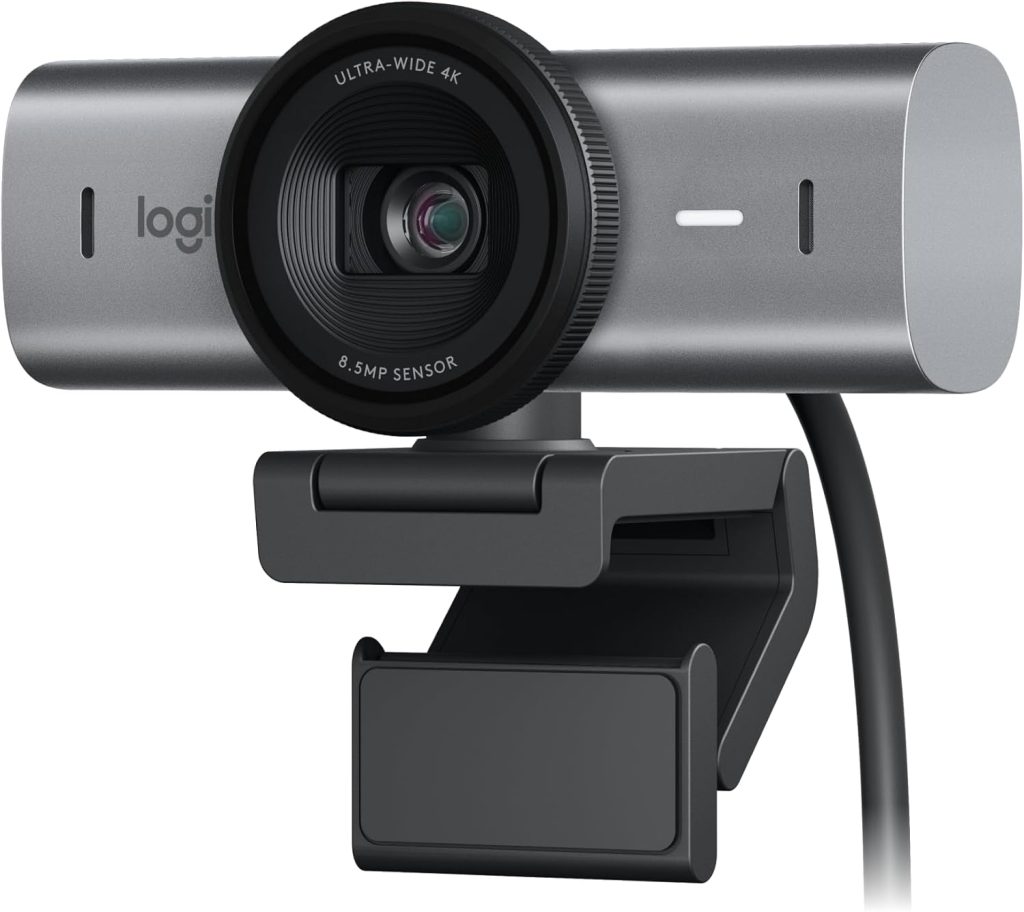
The Logitech MX Brio is my strongest overall recommendation for buyers who want premium image quality without moving into dedicated-camera territory. It’s technically larger than ultra-compact laptop webcams, but the design remains practical enough to move between a desk, laptop station, and occasional travel setup.
Logitech’s current specifications list 4K video at 30fps, 1080p at 60fps, a 90-degree field of view, autofocus, dual beamforming microphones, and a physical privacy shutter. The company also says the camera uses larger pixels and AI-based image enhancement to improve detail and face visibility in difficult lighting.
That’s important because real-world webcam quality isn’t simply about pixels. If you’re sitting beside a window with a bright background, automatic exposure and face optimization can matter more than jumping from 1080p to 4K.
Current Amazon-related sales tracking also shows strong demand for the MX Brio in the U.S. market, with an Amazon listing carrying a 4.4-star snapshot in recent 2026 tracking.
Key Features
- 4K video at 30fps
- 1080p video at 60fps
- 90-degree field of view
- Autofocus
- AI image enhancement
- Dual beamforming microphones
- Physical privacy shutter
- USB-C connection
- Windows and macOS software support
- Compatible with popular conferencing and streaming platforms
Pros
- Excellent 4K image quality
- Strong performance in challenging lighting
- Useful physical privacy shutter
- Good built-in microphones
- Professional-looking aluminum construction
- Works for meetings, streaming, and content creation
Cons
- More expensive than basic 1080p webcams
- Larger than genuinely pocket-sized cameras
- 4K is limited to 30fps
- USB requirements deserve attention when traveling
Amazon User Takeaway
The overall customer sentiment around the MX Brio is especially favorable for image quality, ease of use, and professional calls. However, buyers should remember that even an excellent camera can’t completely overcome terrible lighting.
Best for: Professionals, hybrid workers, YouTubers, streamers, and anyone wanting one premium camera that can do almost everything.
Insta360 Link 2 — Best Portable Webcam for Moving Presenters
Rating Score: 9.5/10
Product Description
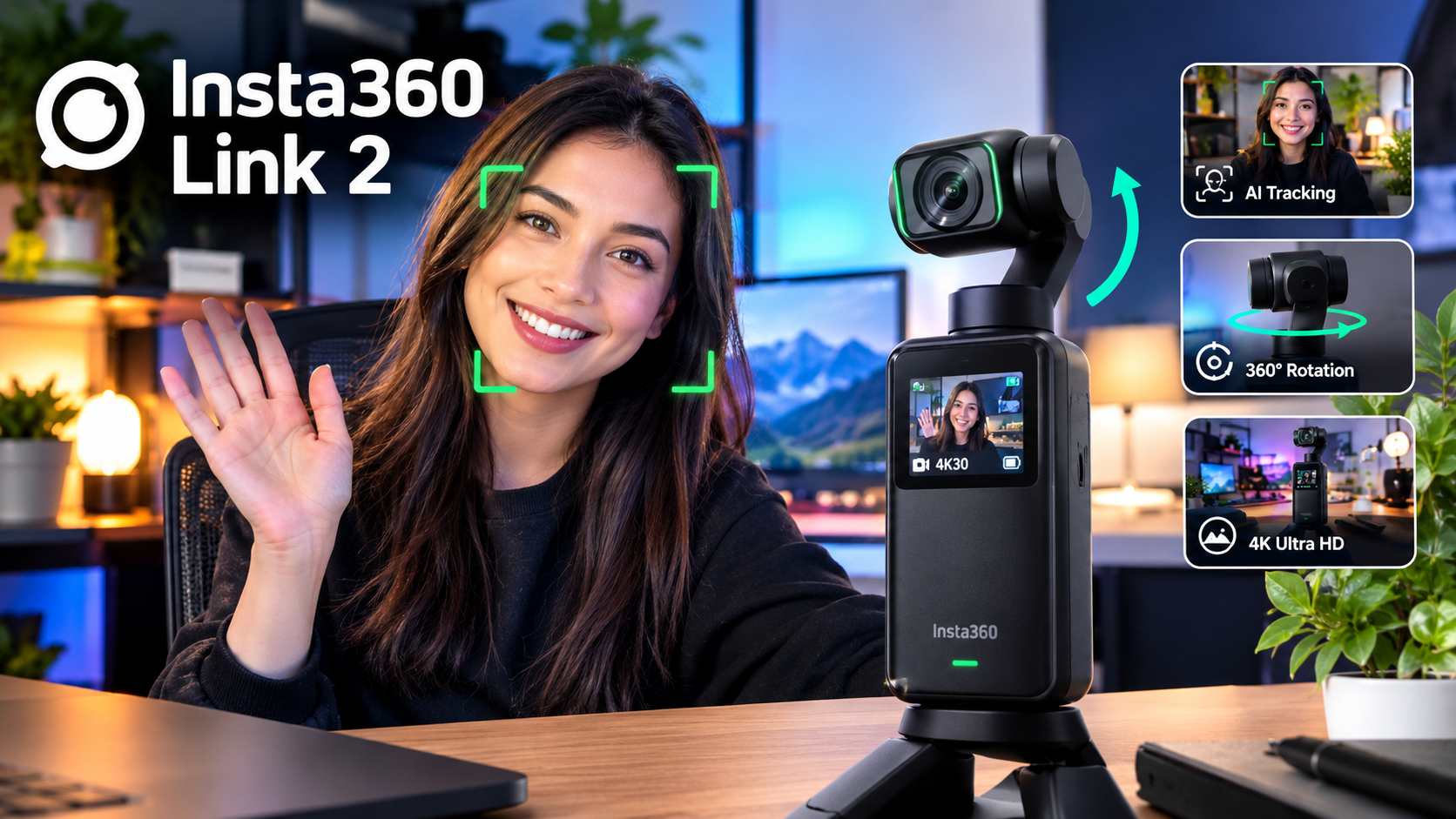
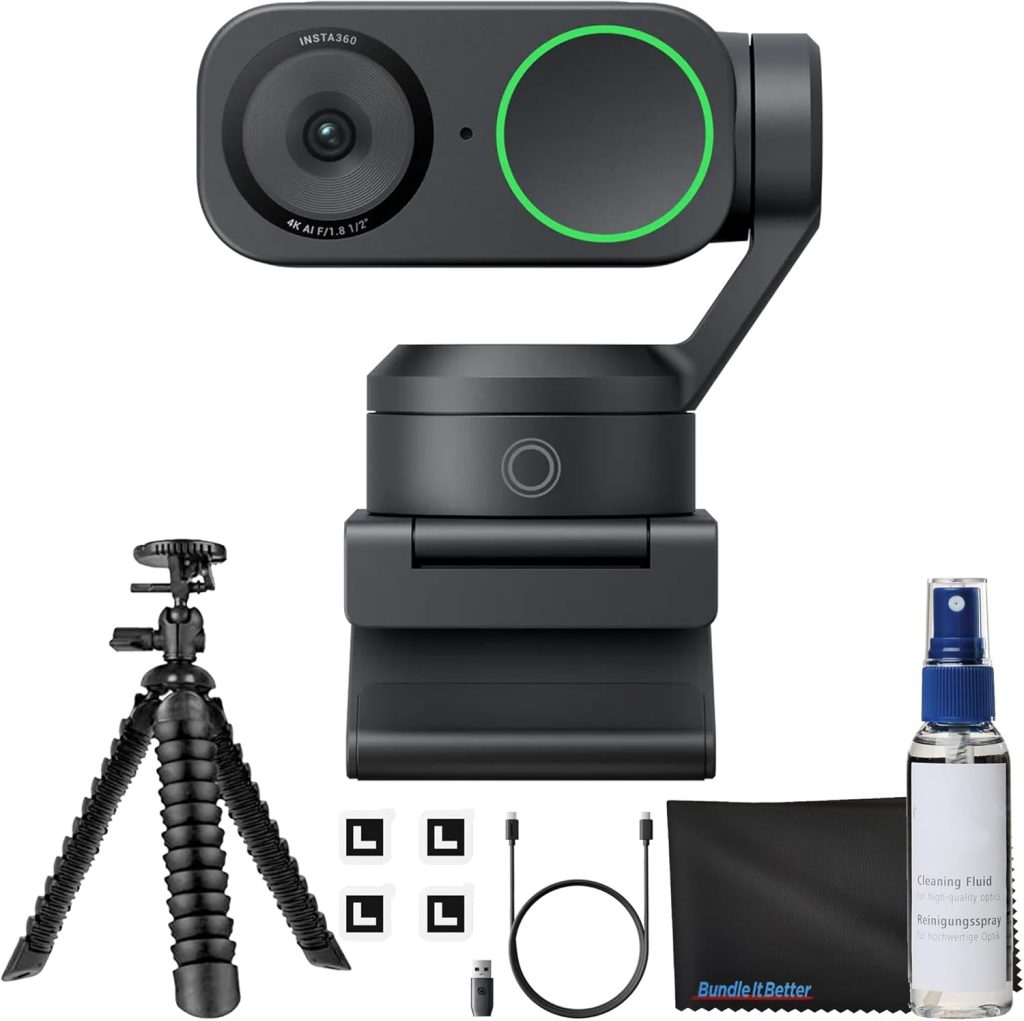
If the Logitech MX Brio is the dependable all-rounder, the Insta360 Link 2 is the clever specialist. Its biggest advantage isn’t merely resolution; it’s movement.
The Link 2 combines a 4K camera with a motorized two-axis gimbal and AI tracking. That means the camera can follow you rather than forcing you to remain glued to a tiny rectangle in the center of the frame. Current product information highlights its 1/2-inch sensor, HDR, phase-detection autofocus, AI noise cancellation, gesture controls, and natural-bokeh features.
That makes this webcam particularly attractive for teachers, fitness instructors, presenters, streamers, and creators who frequently stand up.
Independent testing found the tracking generally good, although it isn’t magic. If you walk completely out of its field of view, reacquisition can be imperfect.
The other advantage is versatility. You can take a compact camera, place it on a laptop or monitor, and then let the gimbal handle much of the framing work. That’s much more convenient than repeatedly adjusting a conventional fixed camera.
Key Features
- 4K video
- 1080p at up to 60fps
- Two-axis gimbal
- AI face and body tracking
- Phase-detection autofocus
- HDR
- AI noise-canceling microphone
- Gesture controls
- Natural bokeh
- USB connectivity
Pros
- Excellent tracking
- Compact gimbal design
- Sharp 4K image
- Great for presenters
- Useful creative controls
- Excellent choice for streaming
Cons
- Tracking isn’t flawless
- More complicated than a fixed webcam
- Software is important to unlock its full potential
- Gimbal mechanism adds moving parts
Amazon User Takeaway
Amazon-oriented product data shows the Link 2 as a popular product, while independent reviewers consistently highlight its combination of image quality and tracking.
Best for: Streamers, teachers, presenters, online instructors, and anyone who doesn’t want to sit perfectly still.
OBSBOT Tiny 2 Lite — Best Compact AI-Tracking Webcam
Rating Score: 9.2/10
Product Description
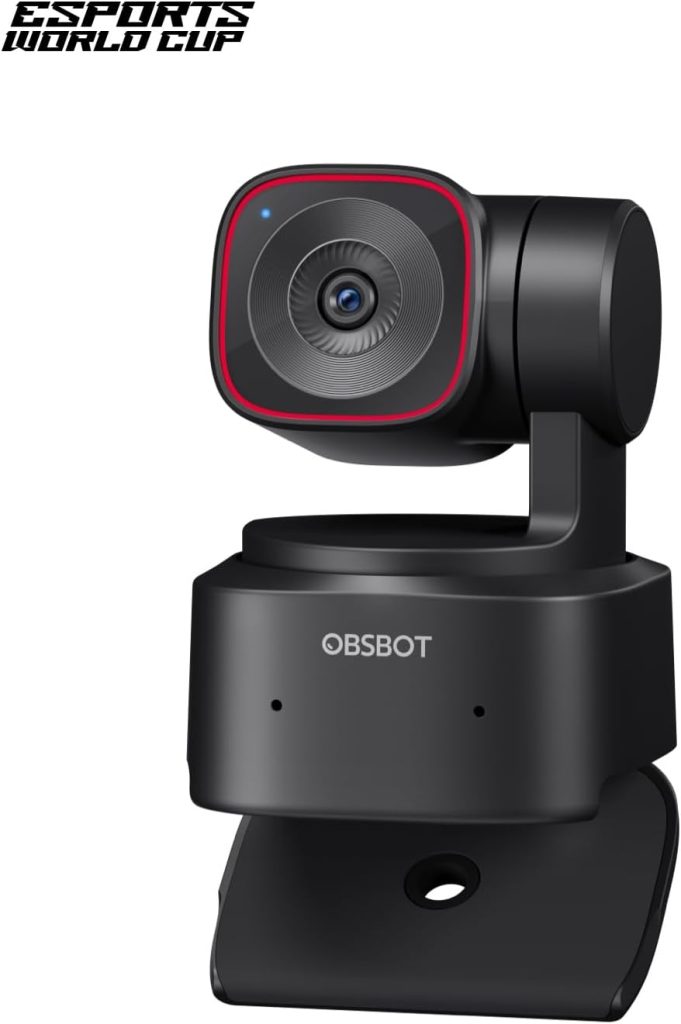
The OBSBOT Tiny 2 Lite is one of the more compelling choices if portability and automatic tracking are both priorities. Its PTZ design gives it a distinctly different personality from traditional fixed webcams.
Current Amazon.com product tracking identifies the Tiny 2 Lite as a webcam sold through Amazon, with recent pricing around the $129–$159 range depending on the snapshot and promotion. Product dimensions are listed at roughly 1.83 × 1.9 × 2.53 inches, making it surprisingly compact for a PTZ camera.
Review-analysis sources also show a large volume of Amazon-associated feedback for the Tiny 2 Lite and the broader OBSBOT range.
Why does that matter? Because a compact PTZ camera can replace several accessories. Instead of manually reframing yourself every time you move, the camera can track you automatically.
The Tiny 2 Lite therefore makes particular sense for people who switch between seated calls and standing presentations. It’s also an appealing option for creators who want tracking without jumping to a much larger professional camera system.
Key Features
- 4K capture
- AI-powered tracking
- PTZ movement
- Compact body
- Autofocus
- USB connectivity
- AI framing
- Suitable for PC and Mac
- Designed for streaming and video calls
Pros
- Compact PTZ design
- AI tracking
- 4K resolution
- Easy to reposition
- Excellent for presenters
- Competitive price compared with premium PTZ cameras
Cons
- More expensive than basic webcams
- Tracking features can be unnecessary for simple calls
- Software setup takes more time than a basic plug-and-play model
- Moving mechanical parts add complexity
Amazon User Takeaway
The Amazon-associated review volume is substantial, which is encouraging for buyers who prefer established products with a large user base.
Best for: Presenters, educators, streamers, and people who want a genuinely small PTZ webcam.
Razer Kiyo Pro Ultra — Best Webcam for Low-Light Image Quality
Rating Score: 9.0/10
Product Description
Let’s be honest: many webcams look impressive when the reviewer is sitting in a perfectly lit studio. Real rooms are messier. Maybe you’ve got a window behind you, a single desk lamp, or a gaming room that gets darker at night.
That’s where the Razer Kiyo Pro Ultra earns its place.
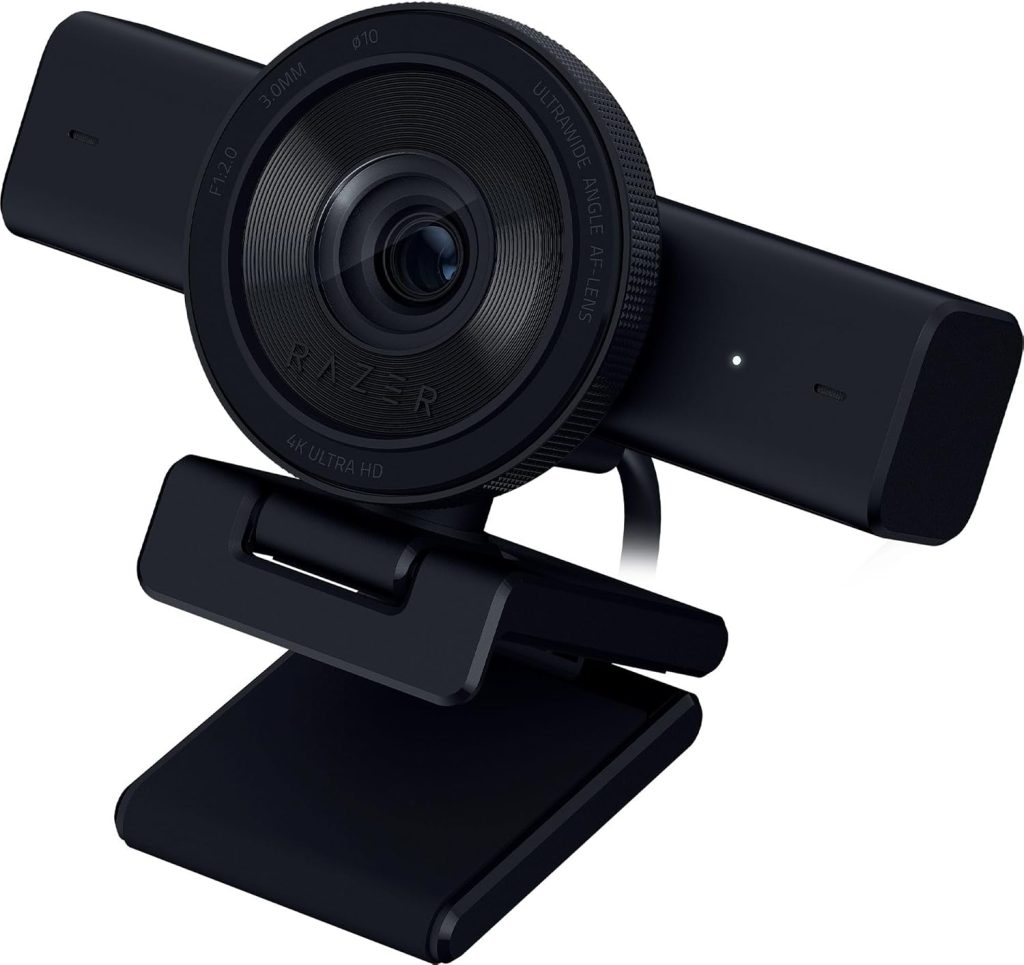
Tom’s Hardware identifies this model as a 4K/30fps webcam with a large 1/1.2-inch Sony STARVIS 2 sensor and a wide f/1.7 aperture. It also supports 1440p and 1080p modes, autofocus, HDR, adjustable field of view, and a physical privacy shutter.
In other words, this is a camera designed around the sensor and lens rather than simply slapping “4K” on the box.
The result is particularly attractive for streamers. A large sensor can help retain detail and reduce the ugly, mushy appearance that cheaper cameras often develop when the room gets dark.
There is a trade-off, though. The Kiyo Pro Ultra is physically larger, and Tom’s Hardware has criticized the Razer Synapse workflow as frustrating for camera configuration.
Key Features
- 4K at 30fps
- 1440p video
- 1080p up to 60fps
- Large Sony STARVIS 2 sensor
- f/1.7 aperture
- Autofocus
- HDR
- Adjustable field of view
- Physical privacy shutter
- Razer Synapse controls
Pros
- Outstanding image quality
- Excellent low-light capability
- Large sensor
- Attractive background separation
- Strong exposure and color handling
- Great for streaming
Cons
- Larger than many portable webcams
- Expensive
- Software experience can be frustrating
- 4K is limited to 30fps
Amazon User Takeaway
The broader Razer webcam family is seeing significant Amazon interest in 2026, although newer models such as the Kiyo V2 have also generated mixed U.S. verified-purchase feedback around reliability and software.
That doesn’t automatically make the Kiyo Pro Ultra a bad buy; rather, it reinforces an important point: buy the camera for its optical performance, but understand the software ecosystem before committing.
Best for: Streamers and creators who regularly work in difficult or dim lighting.
Logitech Brio 300 — Best Budget Portable Webcam
Rating Score: 8.8/10
Product Description
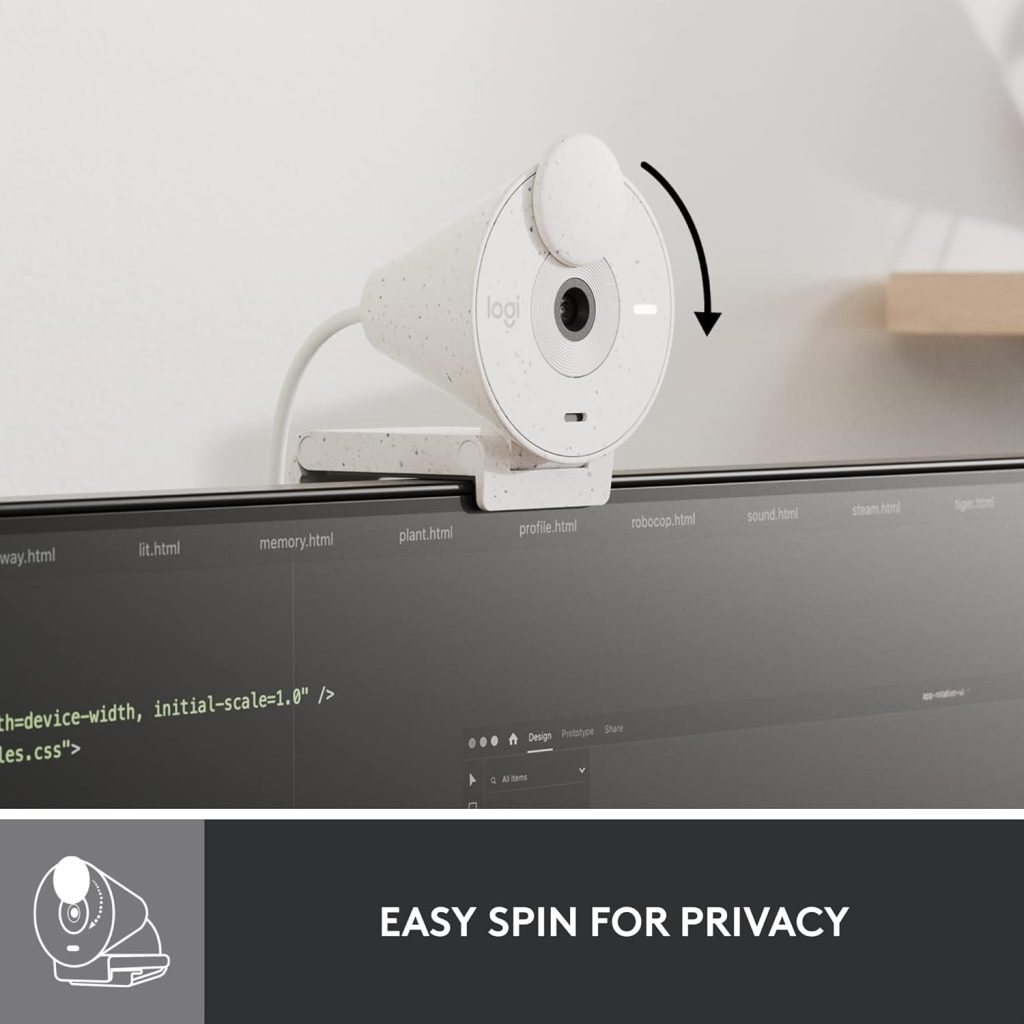
Not everyone needs a $200 camera. Sometimes you just want a small webcam that you can toss into a laptop bag, clip onto a monitor, plug in, and forget about.
That’s exactly where the Logitech Brio 300 comes in.
It offers Full HD video rather than 4K, but that isn’t necessarily a weakness for everyday meetings. For Zoom calls, Teams meetings, online classes, interviews, and casual streaming, a clean 1080p image is still perfectly practical.
Amazon-associated review data shows more than 1,100 reviews in one current snapshot, with a rating around 4.5/5. U.S. customer feedback specifically praises the easy mounting, video output, and straightforward setup.
The Brio 300 also makes sense for buyers who prioritize physical size and price over advanced AI tracking. It’s much easier to recommend as a travel companion than a large creator-oriented camera.
And frankly, that’s the point. The best portable webcam isn’t always the fanciest one. If a compact $50-ish camera gets the job done reliably, spending several times more may be difficult to justify.
Key Features
- Full HD 1080p video
- Compact design
- USB connectivity
- Automatic light correction
- Built-in privacy shutter
- Integrated microphone
- Monitor/laptop mounting
- Logitech software support
Pros
- Affordable
- Small and easy to transport
- Simple installation
- Good 1080p image
- Physical privacy shutter
- Strong Amazon customer feedback
Cons
- No 4K
- Lower frame-rate ceiling than premium models
- Less suitable for serious content production
- Fewer advanced tracking features
Amazon User Takeaway
The strongest Amazon-related customer signals focus on ease of installation, secure mounting, useful software controls, and surprisingly good image quality for the price.
Best for: Students, remote workers, travelers, casual streamers, and budget-conscious buyers.
Best Portable Webcam Comparison Table
| Model | Resolution | Tracking | Low-Light | Portability | Best For | Rating |
|---|---|---|---|---|---|---|
| Logitech MX Brio | 4K/30, 1080p/60 | No advanced PTZ | Excellent | Very Good | Overall | 9.6/10 |
| Insta360 Link 2 | 4K/30, 1080p/60 | AI PTZ | Excellent | Excellent | Presenters | 9.5/10 |
| OBSBOT Tiny 2 Lite | 4K | AI PTZ | Very Good | Excellent | Tracking | 9.2/10 |
| Razer Kiyo Pro Ultra | 4K/30 | No PTZ | Outstanding | Good | Low light | 9.0/10 |
| Logitech Brio 300 | 1080p | No | Good | Excellent | Budget travel | 8.8/10 |
Which Webcam Should You Buy?
So, which webcam is the winner?
For most buyers, I’d choose the Logitech MX Brio. It offers the best combination of image quality, automatic enhancement, microphones, privacy, compatibility, and everyday usability. Logitech officially lists 4K/30fps, 1080p/60fps, autofocus, a 90-degree FOV, and dual beamforming microphones.
However, if you frequently stand, move around, or teach from a whiteboard, I’d take the Insta360 Link 2 instead. Its gimbal and AI tracking make it a fundamentally different type of camera.
For a smaller PTZ camera, the OBSBOT Tiny 2 Lite is a smart alternative. It’s especially compelling when you want tracking but don’t want a bulky professional setup.
If your room lighting is the biggest problem, go for the Razer Kiyo Pro Ultra. Its large sensor and bright f/1.7 lens are the headline features for good reason.
Finally, if you’re trying to spend as little as possible while still getting a dependable external camera, the Logitech Brio 300 is the sensible choice.
Quick Recommendation
🏆 Best Overall: Logitech MX Brio
🎥 Best for Moving Presenters: Insta360 Link 2
🤖 Best Compact AI Tracking: OBSBOT Tiny 2 Lite
🌙 Best Low-Light: Razer Kiyo Pro Ultra
💰 Best Budget Portable: Logitech Brio 300
Frequently Asked Questions
Is a 4K webcam worth buying in 2026?
Yes, but only for the right user. A 4K webcam is especially useful for streaming, recording, cropping, digital zoom, and high-quality video production. However, if you’re primarily using Zoom or Teams for ordinary meetings, a high-quality 1080p camera may be sufficient.
The important thing is image processing. A camera with excellent exposure, autofocus, color, and low-light handling can produce a more flattering image than a cheap 4K camera.
What is the best portable webcam for travel?
For premium users, the Insta360 Link 2 and OBSBOT Tiny 2 Lite are particularly attractive because their compact bodies combine high-resolution imaging with AI tracking.
For simpler travel, the Logitech Brio 300 is easier to justify. It’s smaller, cheaper, and doesn’t include complicated moving hardware.
Is the Logitech MX Brio good for streaming?
Absolutely. Logitech designed the MX Brio for both collaboration and streaming, and its 4K/30fps and 1080p/60fps modes make it flexible for different workflows. It also offers manual controls through Logitech software, alongside automatic image optimization.
Which webcam is best for low light?
The Razer Kiyo Pro Ultra is the standout choice in this group for difficult lighting. Its large Sony STARVIS 2 sensor and f/1.7 lens are specifically suited to gathering more light than conventional small-sensor webcams.
Still, don’t overlook your lighting setup. Even the best webcam benefits enormously from a soft light placed in front of you.
Do AI-tracking webcams really work?
Yes. Modern tracking cameras can automatically keep your face or body inside the frame, which is particularly useful when presenting, teaching, or streaming.
However, tracking isn’t perfect. Independent testing of the Insta360 Link 2 found that it generally tracks well but can have trouble reacquiring you after you leave its field of view.
Does a portable webcam need to be wireless?
No. In fact, most high-quality portable webcams are still USB-connected.
The word “portable” refers to how easily you can move and mount the camera, not necessarily whether it has Wi-Fi or Bluetooth. Wired USB connections usually offer simpler setup, lower latency, and more dependable video transfer.
Is the Logitech Brio 300 good enough for Zoom?
Yes. For normal video meetings, the Brio 300’s 1080p output is more than adequate. Amazon-associated U.S. customer feedback also points toward easy setup, secure mounting, and good video quality.
If you’re a professional streamer or content creator, however, spending more on a 4K model can make sense.
What should I prioritize when buying a webcam?
Prioritize image quality, sensor performance, autofocus, lighting performance, privacy, mounting, USB compatibility, and software.
Resolution should come after those factors. A 4K badge looks great on a product page, but it doesn’t automatically mean the camera will look better in your actual room.
Conclusion
The portable webcam market has become much more interesting in 2026. Buyers no longer have to choose between a cheap 1080p camera and an enormous professional setup.
The Logitech MX Brio is the best all-around choice because it delivers excellent 4K quality, useful low-light optimization, a physical privacy shutter, strong microphones, and broad compatibility.
The Insta360 Link 2 is arguably more exciting for creators because its AI tracking and gimbal allow you to move around without constantly adjusting the frame.
The OBSBOT Tiny 2 Lite gives buyers another compact PTZ alternative, while the Razer Kiyo Pro Ultra remains the specialist choice for people who routinely deal with poor lighting.
Meanwhile, the Logitech Brio 300 proves that you don’t need to spend hundreds of dollars to get a useful travel-friendly camera.
So, if you’re buying today, don’t simply ask, “Which webcam has the most pixels?” Instead, ask, “Where will I use it, how much will I move, how good is my lighting, and how often will I carry it?” Once you answer those questions, the right camera becomes much easier to pick.